Those pesky bots have a mind of their own! It can be discouraging to receive a form submission on your website and see that, yet again, it’s illegitimate.
Before we can learn how to prevent spam form submissions, we must first learn its definition and how to identify spam, which we’ll cover below.
What Is Spam?
If the first thing that comes to mind when you hear spam is (questionable) canned meat, you’re on the right track — this is actually where the name came from! In a humorous Monty Python scene, Vikings portray the fact that spam is repetitive and unavoidable, much like the website spamming we’ll be talking about in this blog.
While there are many different types of spam, we’ll focus on contact form spam.
Contact form spam is when a non-human submits contact forms through your website. Let’s go through an easy checklist to help you determine if you’re receiving legitimate or spam form submissions.
How To Identify Spam
1. Visit The User’s Website
If your contact form has a field for the user’s website, business name, or if the website address is listed at the end of the email address they include, visit the site. If the domain isn’t valid, or the site doesn’t match what is listed in their message, this could be an indication that it’s contact form spam.
2. Investigate The User’s Email Address
In addition to examining their website, you’ll also want to check out their email address.
Is it a company email address?
Does it match the business name they listed?
Is it a legitimate company with a working website?
Is it a common email address like Gmail, or does it use one you’ve never heard of?
3. Match The Service They Selected With The One In Their Message
If there is a form field/dropdown menu for the user to select which service they’re interested in, you might be able to match it with the service(s) they mentioned in their message. If they don’t match, it could be an indication that they didn’t adjust the dropdown and went with the default, which could mean it’s a bot.
4. Read Through The Message For Gibberish
If you’re seeing a bunch of random capital letters, numbers, letters, typos, etc., this is typically a clear indication that those are spam form submissions.
5. Look At The ReCAPTCHA Score
If you’ve installed ReCAPTCHA to help you identify bot traffic, you’ll notice a ReCAPTCHA score from 0.0 to 1.0. The closer it is to 1.0, the more likely the user is a human.
6. Identify The Source/Medium
Match the form submission on your site with the form submission that’s listed in GA4. In most cases, you can see the time of day, location, browser, and more. If the source is paid search, dig deeper into the data in your Google Ads account to learn more about where it’s coming from:
Campaign
Ad group
Keyword
Landing page
Audience segment(s)
Income level
Age
Gender
Mobile or desktop
Are they all coming from a certain location? Do they come from the same campaign? Is a certain audience segment attracting the wrong type of people? Note any patterns you see.
7. Compare The Bad Leads To The Good Leads
Use the criteria above to evaluate your good leads as well. Do you notice any key differences? Perhaps you’re noticing that your spam form submissions primarily come through mobile devices and your legit form submissions mainly come through desktop.
Another example could be that if you notice your good leads are coming through organic search, but spam leads are coming through paid search, you then have insight into which channel to examine closer.
8. Check The Change History
Check out the change history in your Google Analytics and/or Google Ads account to ensure nothing out of the ordinary happened around the time you started seeing spam. Perhaps a setting got bumped, or a certain keyword was added.
9. Explore The User Journey
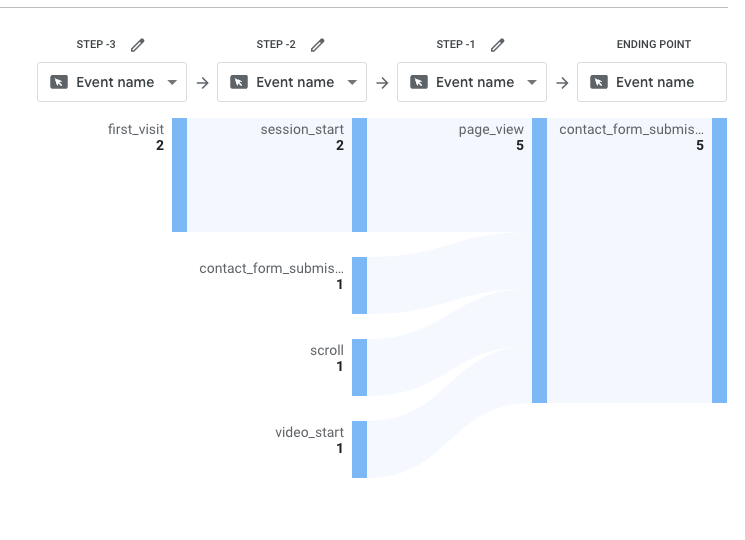
What was the user journey like? Set up an explore report in GA4 to get a better idea of user engagement metrics. Identify the actions they took, how long they spent on the site, when they first came to your site, and more. If you find that those users only spent a few seconds on the page, and took no other actions, it could indicate bot traffic.
How To Prevent Spam Form Submissions
While there is no way to completely eliminate spam form submissions, we have severalspam prevention tips:
1. Turn Off Search Partners And/Or The Display Network
If you’re noticing spam form submissions coming through paid search, segment it by “Network” to see where the traffic is coming from.
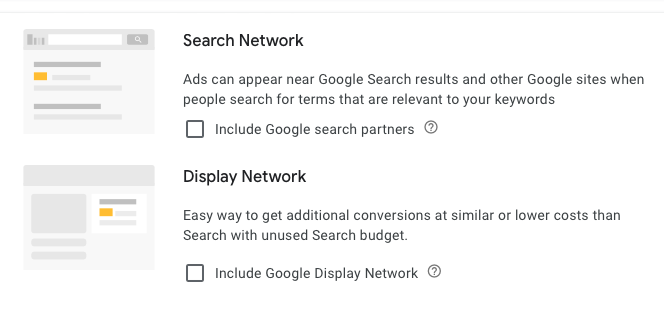
If it’s coming through Search Partners or the Display Network rather than Google Search, you can turn those settings off. There are two places you’ll need to uncheck the boxes: In the campaign settings and in the auto-apply recommendations section (see screenshots below).
2. Adjust Keyword Match Type
While using broad match keywords can help you reach a large audience, that audience can also bring in a lot of spam. Reach a more specific audience in your paid ads by using exact or phrase match keywords.
3. Narrow Your Geographic & Audience Targeting
If you service the entire United States, it might be tempting to target the US as a whole. However, certain cities, such as Los Angeles and New York City, might bring in more spam due to their size and popularity. If you’re noticing more spam through California and New York, try excluding those locations in your targeting.
A good amount of spam often comes from other countries. Try adding all other countries around the world to your excluded locations list to avoid spam.
Tip: Use ChatGPT to quickly generate a list of all other countries around the world.
You may also want to select “Presence” rather than “Presence or Interest” for your geographic targeting. This will allow you to target only people who are IN that area, rather than people who have an interest in it/have searched for it in the past.
In Google Ads, you’re also able to see which audience segments and locations brought in the most conversions. If you see that a certain audience segment brings in more spam form submissions, remove it from your targeting.
4. Evaluate Keywords, Ad Copy, & Landing Pages
Sort through your targeted keywords and identify any that don’t have the correct intent that might be bringing in irrelevant form submissions. Put those into a negative keyword list to avoid showing up for them again.
Evaluate your ad copy to ensure it correctly represents the landing page you’re leading them to. Adjust any descriptions or headlines that may be misleading.
By enabling ReCAPTCHA, users have to check a box, identify images, or answer a simple question to indicate they are human. They won’t be able to submit the form unless they answer correctly.
As we mentioned above, ReCAPTCHA also gives out a score from 0.0 – 1.0 to help you identify which users are human. The closer the score is to 1.0, the more likely they are a human.
7. Set Up An Anti-Spam Honeypot
Website spamming can get your business into a sticky situation – but not to worry! Anti-spam honeypots can be a great tool to avoid spam.
If this brings to mind an image of a trap with sticky honey, let’s continue with this thought for a second. A honeypot is a bot traffic detection technique that “traps” bots using a hidden field. The field isn’t visible to a human eye, but when bots go to fill out the form, they’ll fill it out by default, thus “trapping” them and giving away the fact that they’re a bot.
If you need some assistance identifying and limiting spam form submissions through your website, our team of SEM specialists and web developers are available to help.
If you are creating content that only answers what you think the keyword should be about, you are doing yourself a disservice.
Did you know that every keyword searched on the internet ever has a unique search intent?
This means more than someone looking to buy a product or service. It encompasses all of the thoughts, feelings, emotions, and intentions behind the user searching the exact keyphrase they used to arrive at your site.
It’s time to stop writing for the Search Engine and time to start writing for the user’s keyword intent.
What is Keyword Intent?
Keyword intent describes the relationship between what users are looking for online and the search terms they use to find it.
Similar to search intent, keyword intent illustrates where the user is in their decision-making process and allows us to create content that meets their needs.
Ideally, the website content you create should always influence users to act. It should meet them where they’re at and provide enough value to entice them to trust and return to our site.
However, the type of action we want users to take will vary depending on the type of user, and the keyword intent behind what they are searching for. For example, a person searching for “DIY flower pots” most likely wants to learn how to create their own flower pot, so we should focus on answering that need before pitching them a product.
At this point, you may wonder, “How do I find keyword intent”? It’s quite simple.
Let’s take a closer look at how to find keyword intent.
How to Find Keyword Intent
To find keyword intent, first look at the “subject” or the search terms, then see if there are any “modifier keywords” that describe any actions the user expects to take.
These “modifier keywords” also help us distinguish between high-intent keywords and low-intent keywords, which tells us how “motivated” a user is to take action once they find the result they’re looking for.
For example, someone searching for “plumbers” is most likely in the “consideration” phase and expects to see a list of local plumbers in the area to compare. They may not even need service right now, but they could turn into a lead eventually if we provide the experience they’re looking for.
In contrast, someone searching for “emergency drain cleaning near me” has a higher chance of requesting service, because the service mentioned in the search terms is more specific (“drain cleaning” and not just general plumbing)and the inclusion of “emergency” and “near me” indicates they are probably ready to buy.
By knowing this, we can then provide the user with the best possible experience when they click on our site because we can focus solely on providing content that is crucial for the user to take action or make a decision.
But, just like how not every person is the same, not all keyword intents or search terms are the same.
We typically see keyword intent broken down into 4 main categories.
Keyword Intent Types
There are 4 major keyword intent types:
Informational Keywords
Navigational Keywords
Commercial Keywords
Transactional Keywords
1. Informational Keywords
Informational keywords are perhaps the lowest-intent keywords a person could search to land on your site. But, this doesn’t automatically mean they’re lackluster.
So, it’s just as important to make sure that informational keyword queries are being fully answered, as they could be the reason a user revisits your site and becomes a customer later on down the road.
This means making sure that you are fully answering all parts of the query and providing all necessary visuals, infographics, charts, data, examples, and demonstrations to aid the user in understanding the information.
Examples of informational keywords:
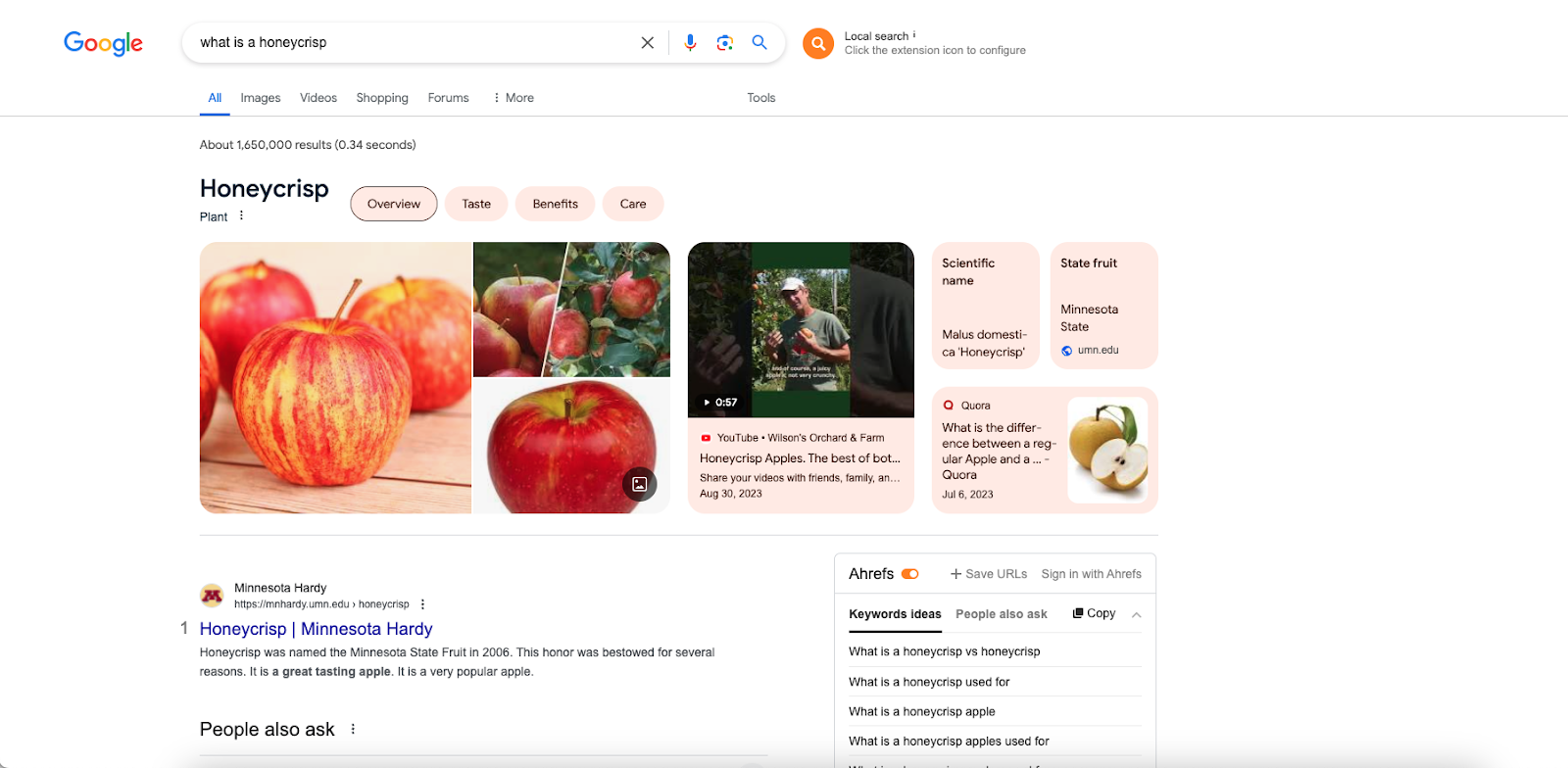
“what is a honeycrisp”
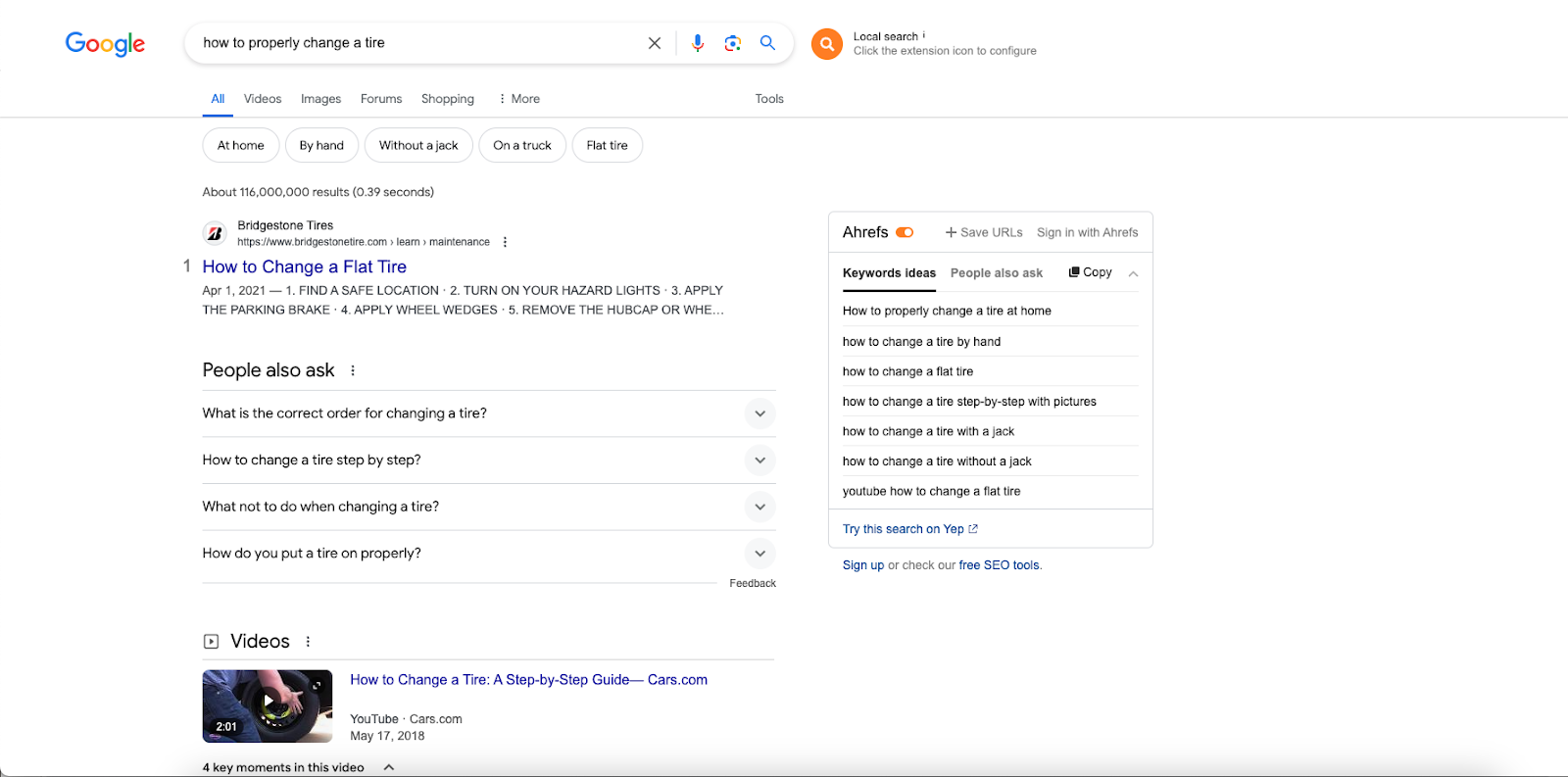
“how to properly change a tire”
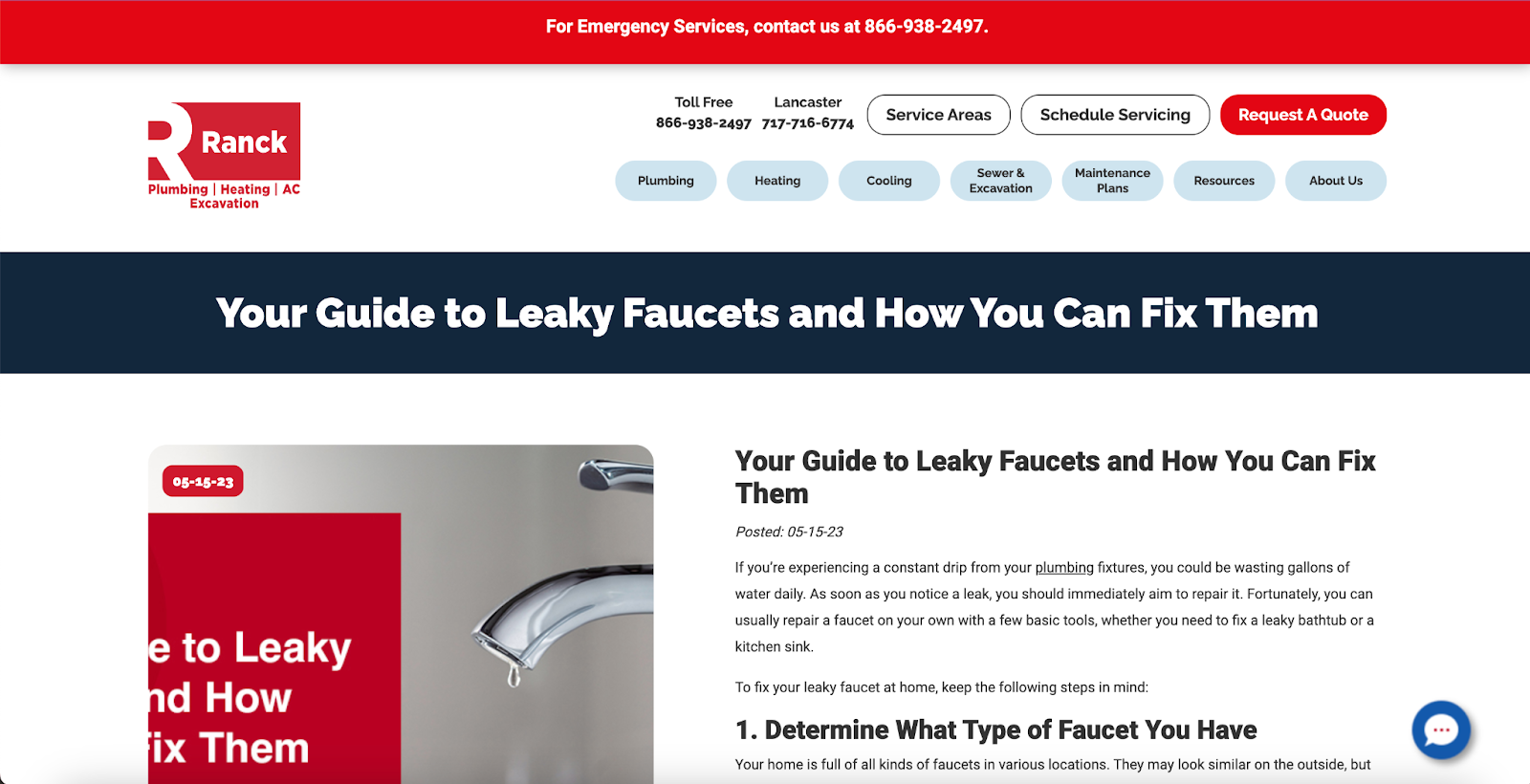
The keyphrase “how to fix leaky faucets” is another example of an informational keyword that, if answered well, could bring return visitors to your website.
2. Navigational Keywords
Navigational keywords are search terms where a user is looking for a specific page or place online, usually via direct or branded search.
Since these terms are usually specific, they have a slightly higher intent to purchase or fill out a form fill than informational keywords but still don’t guarantee a conversion or purchase will happen.
A lot of times, the actions that users take on these keywords are also to accomplish something non-transactional. But, when done right, navigational keywords could also spark a future customer transaction down the road.
This could be a login page, resource, PDF, company details page, homepage, product page, product overview, contact page, or any other instance where the user pretty much knows what they are looking for.
Examples of navigational keywords:
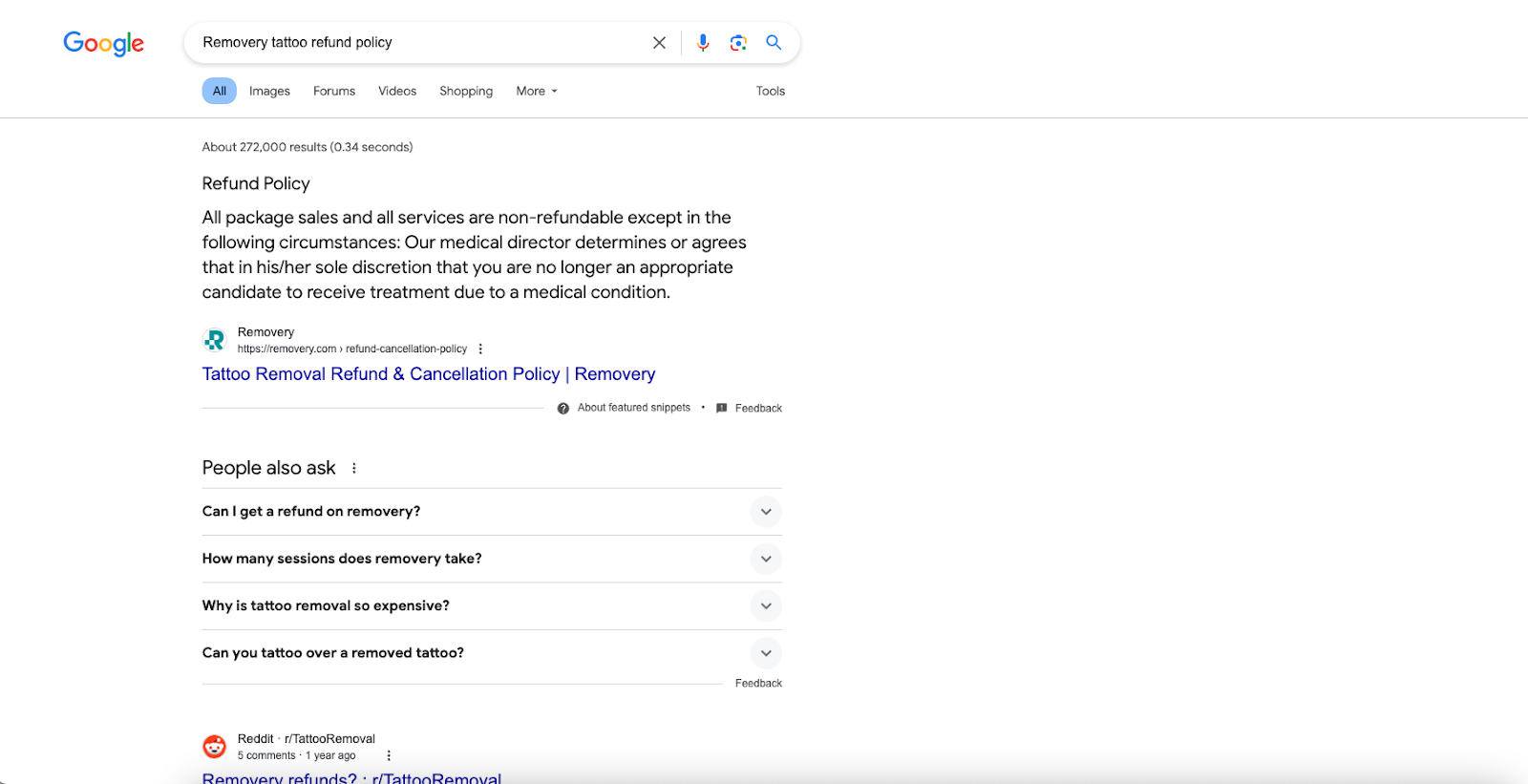
“Removery tattoo refund policy”
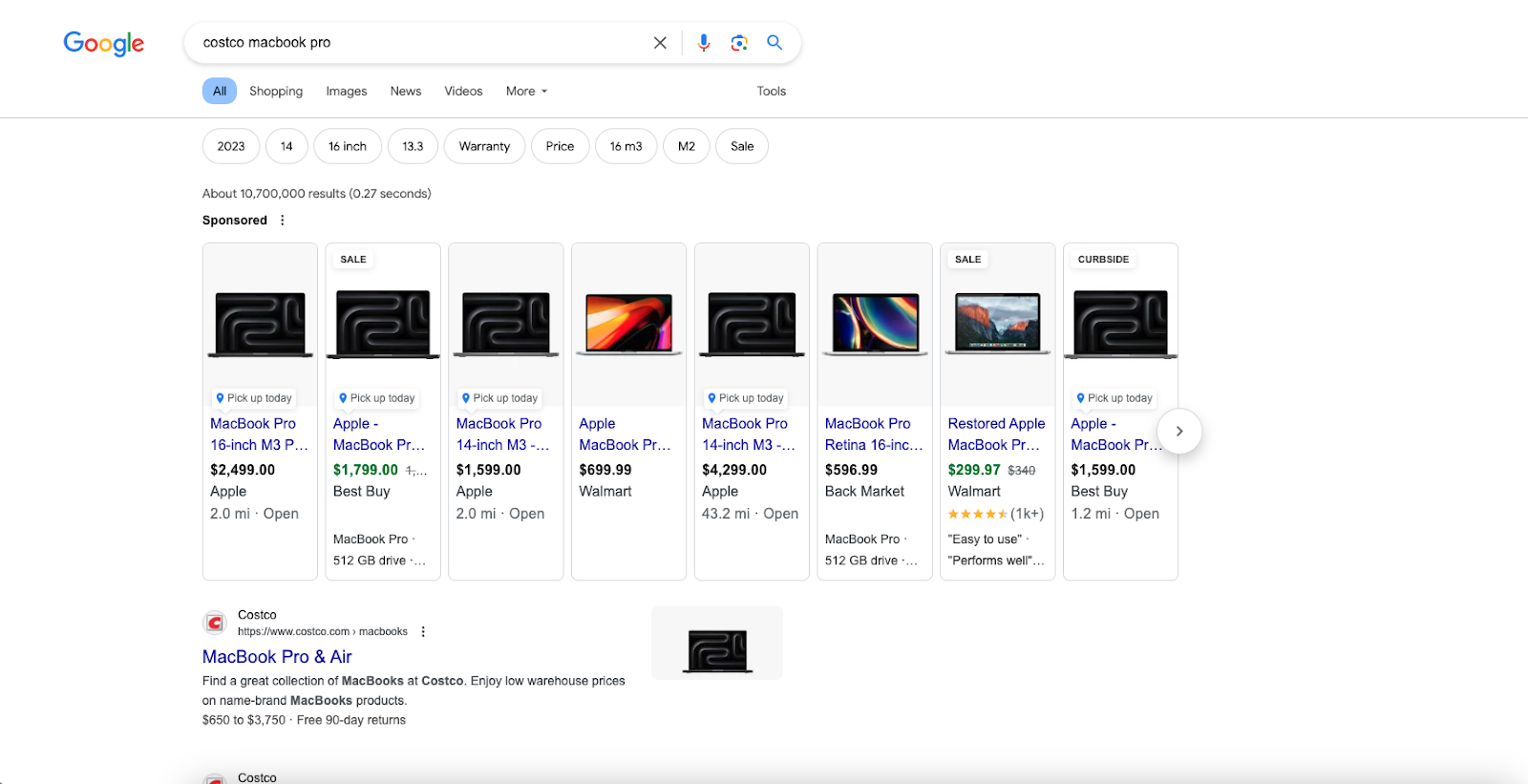
“Costco macbook pro”
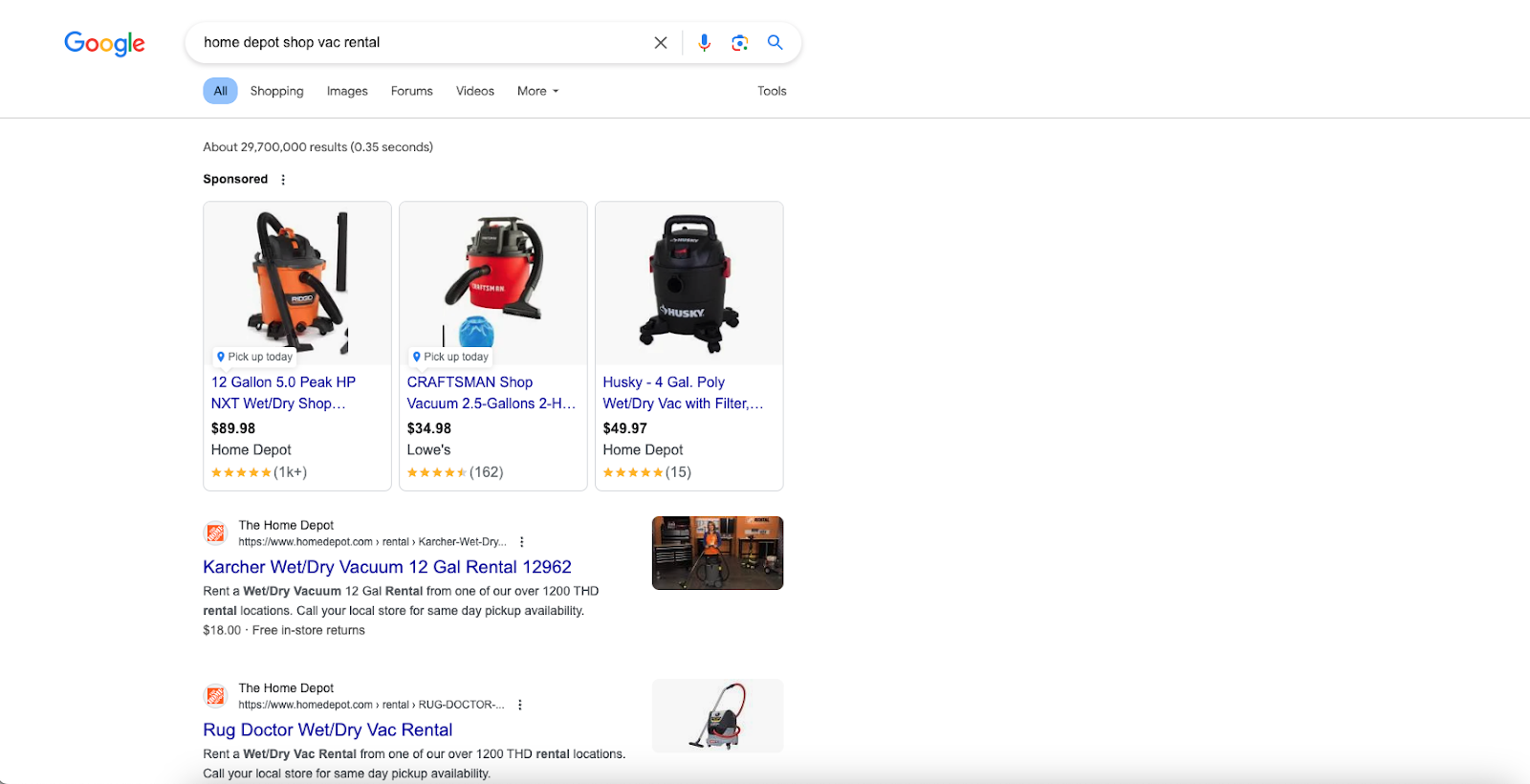
“Home depot shop vac rental”
3. Commercial Keywords
Commercial keywords are quintessential “consideration” keywords.
This means that the customer is actively researching a product or solution search before deciding to start a transaction.
Most of these searches will involve spending money, but a person could also be researching whether Target or Kohl’s has better free member perks, or if a credit card has better benefits than another.
The key here is that the user isn’t ready to convert but is thinking about it. So because of this, commercial keywords are also considered (no pun intended) high-intent keywords.
High-intent keywords are generally seen as the most valuable queries on the internet because they show that a user is close to taking an action.
Examples of commercial keywords:
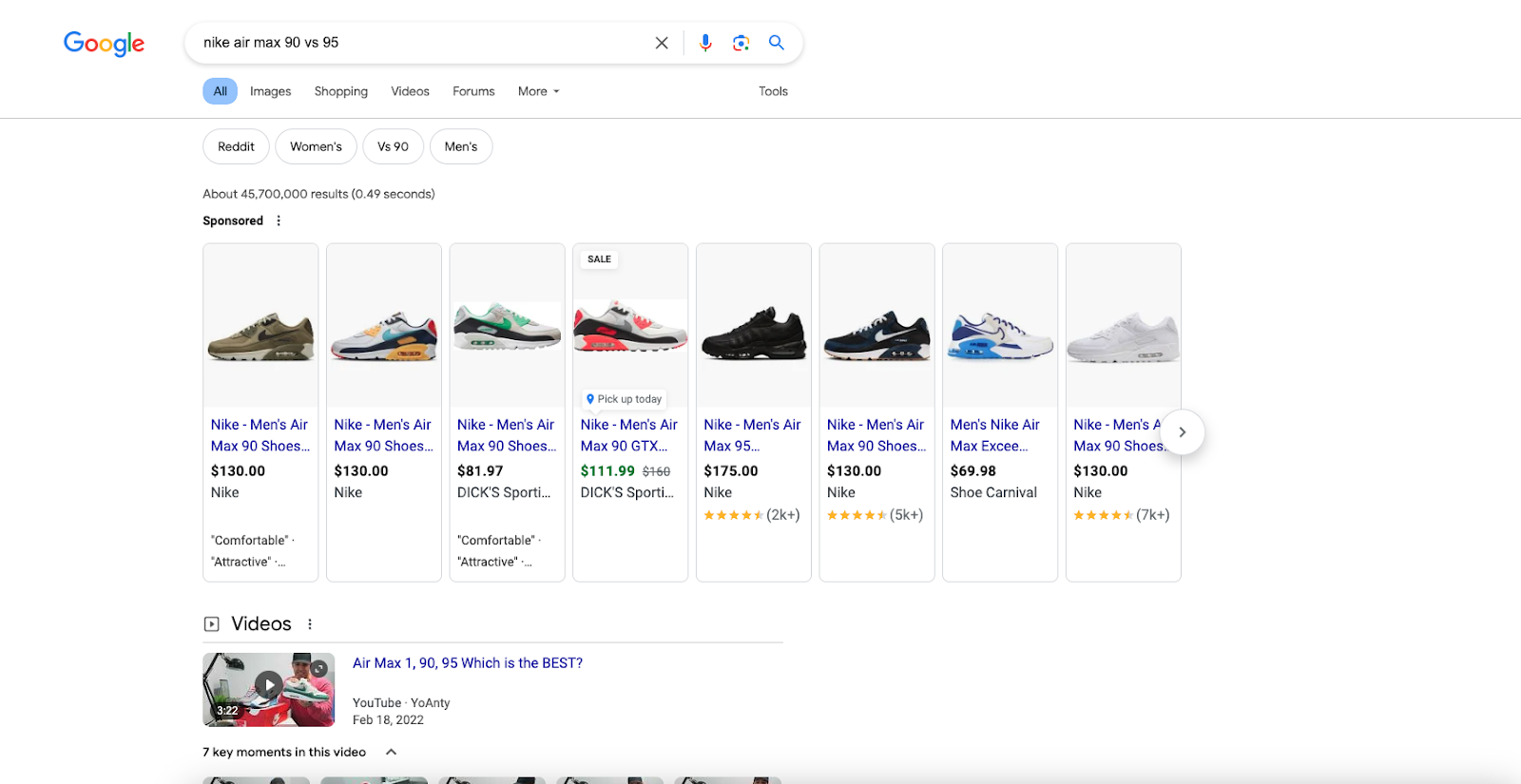
“Nike air max 90 vs 95”
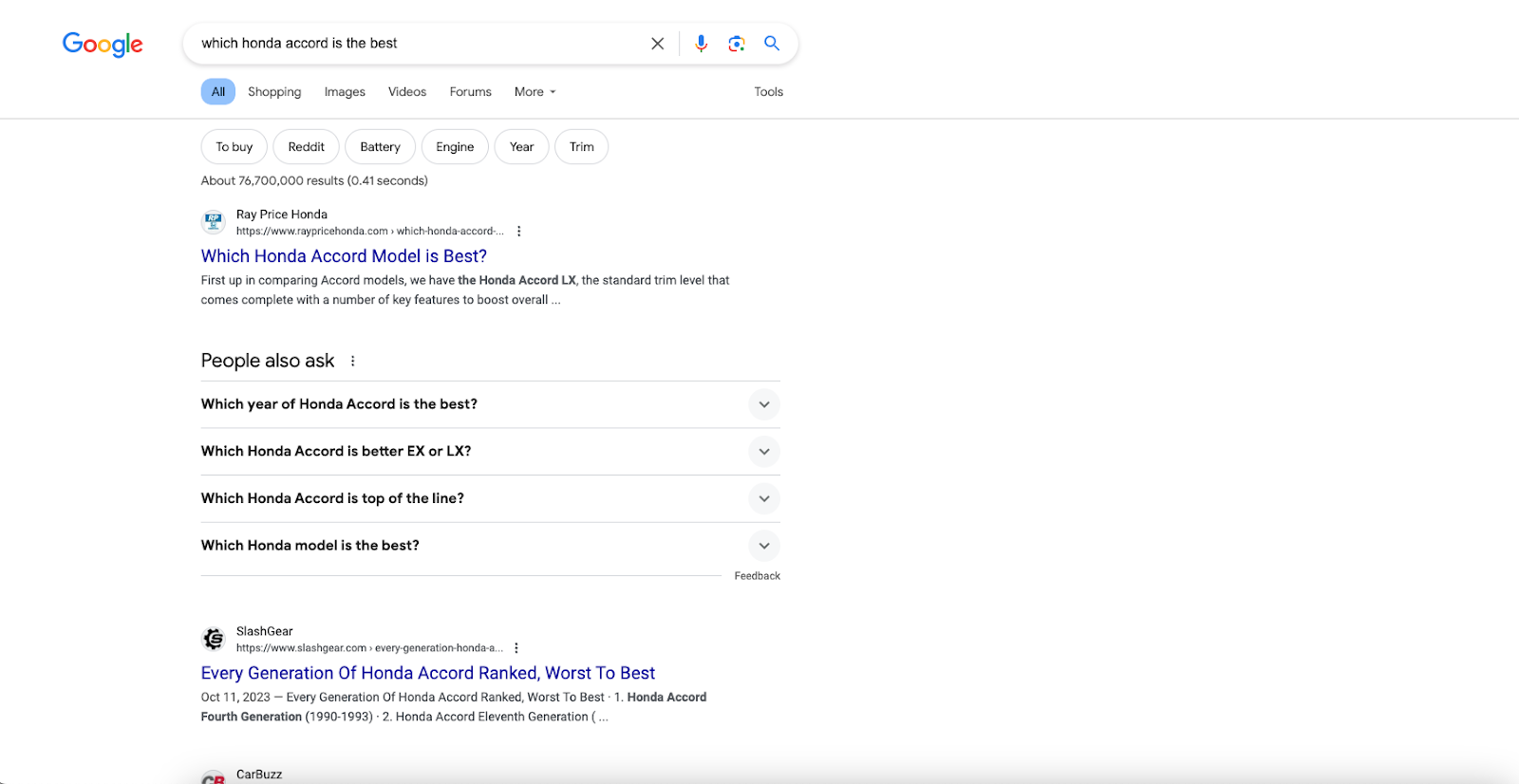
“Which honda accord is the best”
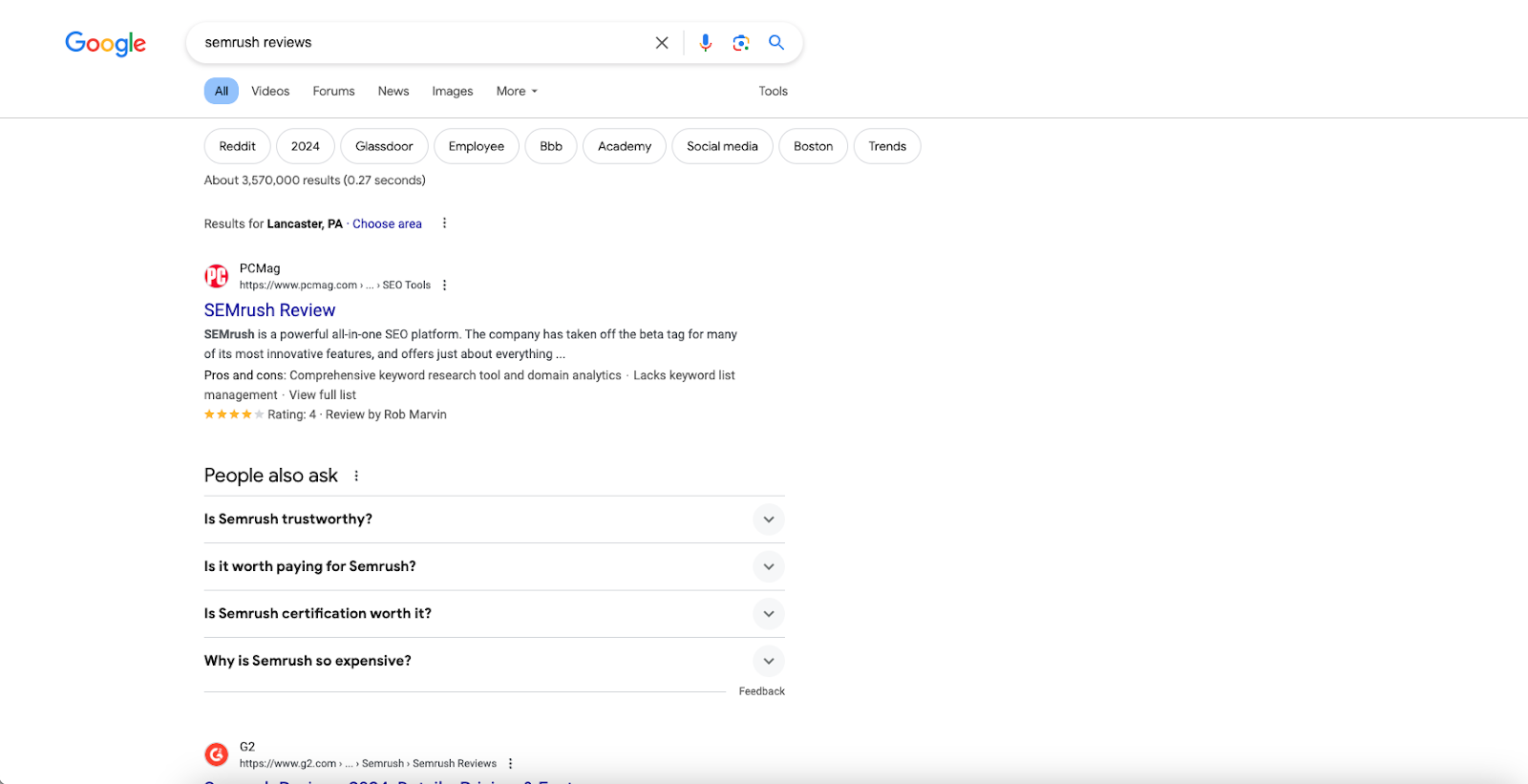
“Semrush reviews”
4. Transactional Keywords
Lastly, transactional keywords are what users search for when they are ready to buy or take an important action on your site or in your business.
They provide the highest chance of someone converting to your site.
You’ll see these keywords are naturally some of the most competitive and most expensive. (More on PPC to come later).
Examples of transactional keywords:
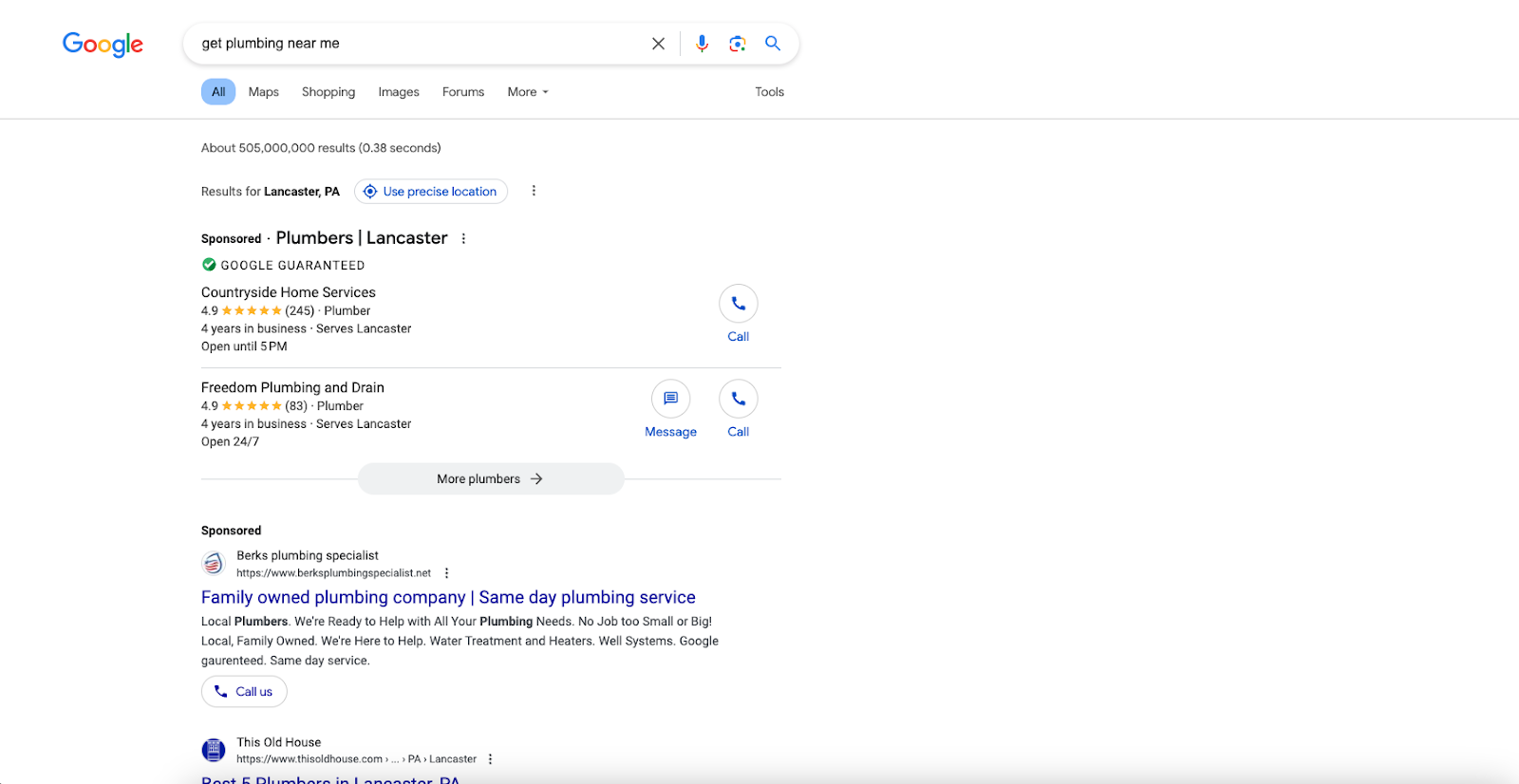
“Get plumbing near me”
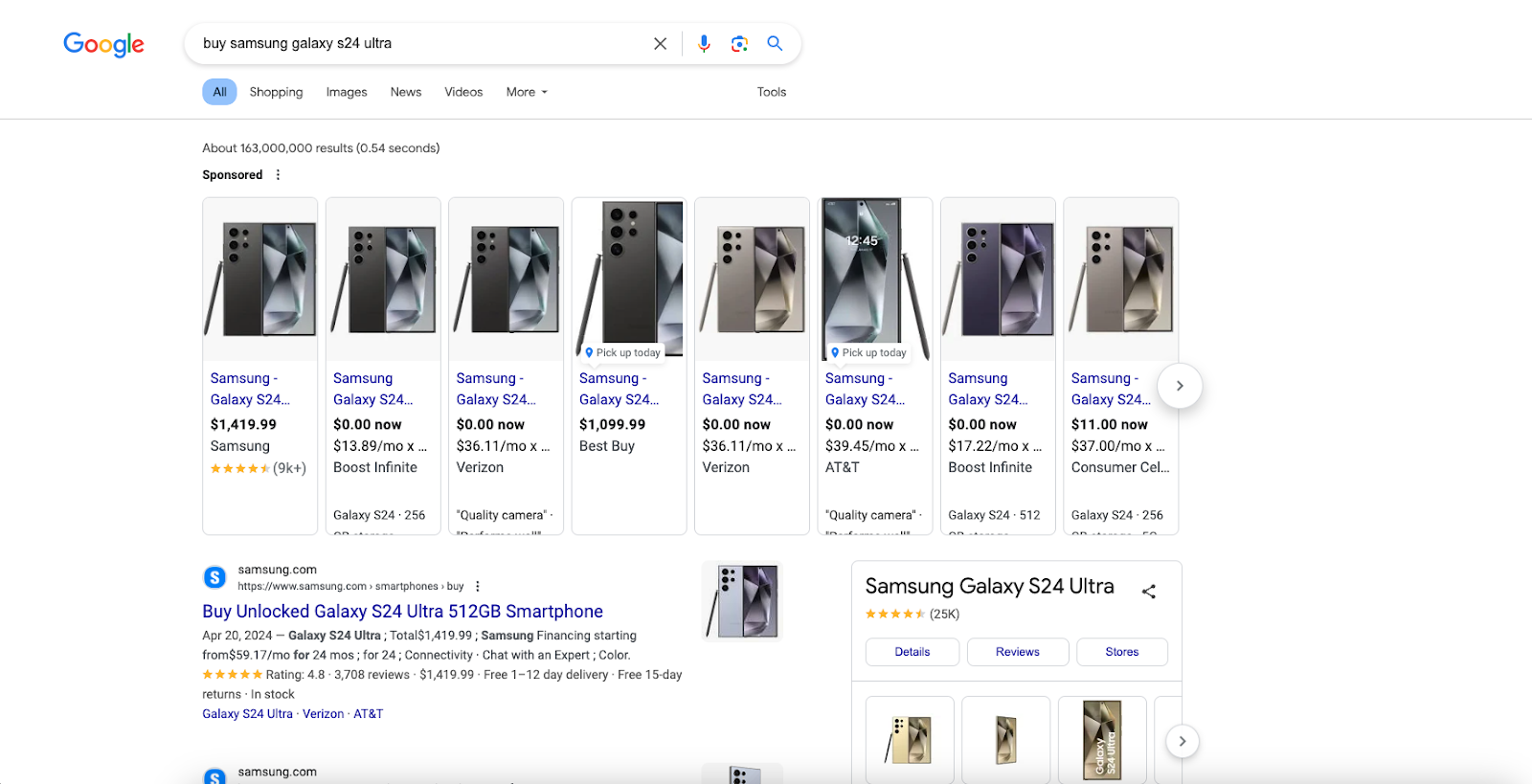
“Buy samsung galaxy s24 ultra”
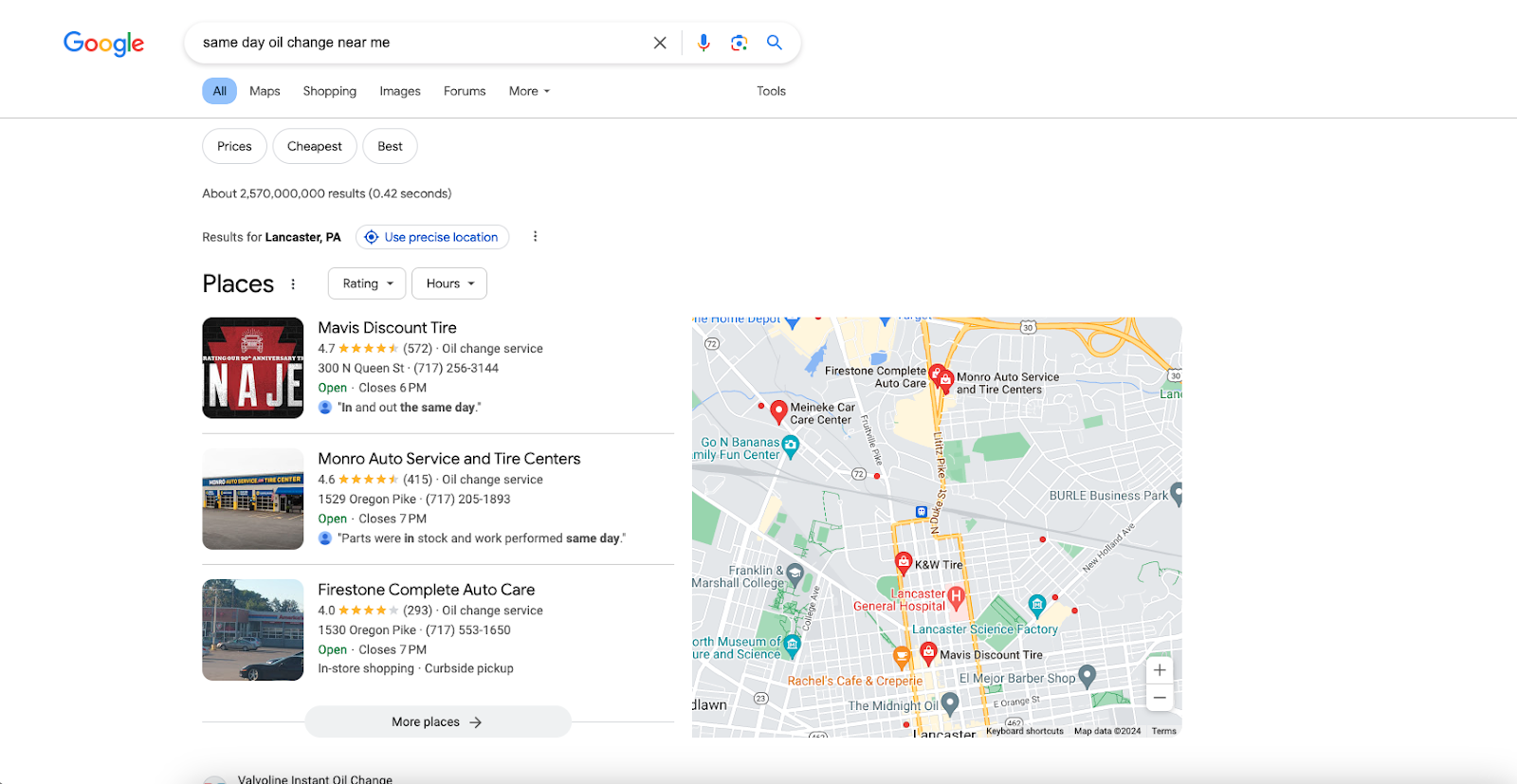
“Same day oil change near me”
Writing for Each Keyword Intent Type
Learning the definition of each keyword intent type is important, but it means nothing if the content on your site was not written for the user on the other end of that search.
What does this mean? Essentially, marketers usually have two options:
They can try and write for SEO – meaning they spend too much time overoptimizing their content technically in hopes of receiving on-page wins
They can write for the user – touching on all important topical areas, providing unique insights and data, and relating to the reader
Best practices recommend focusing on that second option—writing for the user. This way, you’re able to create something extremely valuable that leads to positive user experiences.
Let’s explore more scenarios and differences between writing for various keyword intent types.
Writing for Informational Keywords
To properly answer informational keywords, it’s important to answer all parts of the search query fully.
That means, after the reader finishes reading the content on your page, not only should they no longer have any major gaps in their understanding of that topic, but they should also feel they can trust you and your content, encouraging them to visit again in the future.
Here are ways you can write for informational keywords:
Get straight to the point – not only do readers like this, but Google likes this as well, usually rewarding the best and most succinct result with a featured snippet spot shown before anyone and anything else. (EDIT: This spot may now be occupied by SGE, or Search Generative Experience results, but the strategy remains the same).
Use Semantic SEO – cover all keyword variations and relevant secondary keywords that would naturally occur in an article about that topic. Explain terms that prove helpful in strengthening the user’s understanding.
Provide data, statistics & sources – the more unique the better, but all data helps drive points home further and put macro/microdata into perspective.
Write sequentially – each paragraph should set up the next one and flow fluidly into the next section. Use heading tags to provide further context in the content.
Remember, the primary goal with informational keywords is to provide the reader with as much useful and applicable information as possible to take action.
Writing for Navigational Keywords
Navigational keywords are a bit different since the user most likely already knows what they are looking for.
Usually, a specific piece of information or detail about your business does the trick, so you don’t necessarily need to “win them over” in your writing.
However, you should still follow some basic guidelines just to keep things simple:
Be clear and concise about what the user is here for – list all necessary details about your product or service regarding the search query. Ideally, one page should be all users need to feel comfortable navigating your website.
Less is more – try to use fewer words when creating complete thoughts. Every word on your page should be objective and representative of your business.
Think like customer service – Navigational keywords tend to overlap with situations customer service agents may face, so treat them the same way you would if you were assisting a customer. In this scenario, making a sale is a bonus.
Writing for Commercial Keywords
Now these are most likely the keywords you’ve been eyeing for a while, outside of transactional keywords of course!
The person searching for these keywords is trying to find a reliable voice of reason to help validate their decisions. So it is best to do that, by using a few trusted methods:
Experience outweighs everything– just like employers, both users and Google are now prioritizing experience about the topic at hand, which is why so many service-based businesses call out how many years they’ve been in business.
Show your authority – You are the author of this page/post and who you are matters, so showcase your authority in your writing through technical jargon, custom hypotheticals, and engagement with the audience to further hook their attention.
Demonstrate expertise – Make bold claims in favor of your solution, but back them up with peer editing, citations, quotes, and custom testimonials
Just like in sales, an unsure customer doesn’t want to be bullied into making a decision. They want to have a conversation with a reliable, trusted, and personable expert that answers their most pressing questions about the path they’re considering.
Writing for Transactional Keywords
We have arrived at our most valuable, monetized search terms: transactional keywords.
To write for transactional keywords, you must simply help the user complete the transaction related to the page they are visiting.
For example, a service-related page might benefit from including a frequently asked questions section that customers ask regularly in your business. There would be no need to deliver 12 paragraphs about the philosophy of our service offering, how we crafted the process, and so on as that is not the goal of the services page.
If the keywords align with the high intent someone had when they searched, search engines will make sure those keywords are present on the page, and make sure it is easy to perform said transaction on that page. Easier is always better.
When writing for transactional keywords, it is best to:
Have a clear call to action on the page – make sure instructions are clear and that all copies help the user understand what to do for them to take valuable action.
What are next steps? – think about mentioning the future and what the customer can expect now that they have taken action on your website.
How can they contact you? – now that the user has taken the action and knows what to expect, make sure you also let them know how they can contact you best and what your policy is regarding customer service and communication. Consider this almost like a “reward” for the user opting in and learning that they will have a better priority and call queue now that they have called number X (present only after conversion) instead of number Y (primary company number). This could be complemented with CallRail.
The biggest takeaway from using transactional keywords should be that your audience is visiting your website to achieve something, like learning, converting, buying, reading, or downloading something.
That is why it is important to make it as easy and smooth as possible for them to do what they came there to do. Optimized copy can help them do that.
Optimizing Your On-Page Experience
The experience that the user has when they land on your site is just as important as understanding the full intention behind the keywords they searched for.
To do this, you need to make it abundantly clear that you are highly experienced in the topic that they searched for, can speak eloquently yet simply about it, and you need to put yourself in the user’s shoes to ask yourself what they might like to see in your on-page content.
Including various real-world examples and touchpoints of your content making a difference also helps build rapport and establish credibility with your audience, such as reviews, testimonials, and customer feedback.
Remember, you’re not creating content for search engines. You’re creating content for human beings that choose their thoughts and actions.
So it is crucial to provide space and accessibility for both.
“Experience” also refers to the user experience or UX, a customer has when they visit your website.
This is where things can get fun because they’re more of the “visuals” or the “facelifts” you can make to propel the new content you just made curated for your custom keyword intent forward.
Here are some tips for making pages and posts more valuable to your audience for informational keywords and navigational keywords.
Informational Keyword Optimizations
Add infographics and other data visualizations. (Like charts, graphs, & studies)
Add external links to reputable sources that help deepen and expand knowledge about the topic.
Add internal links to relevant sources that help expand the reader’s knowledge of the current topic.
Add simulators and interactive charts/tables that help them find the answer, or gain more clarity for themselves.
Add photos and videos that provide helpful information.
Add free downloadable resources the user can take with them or send them to a link with a prompt to bookmark that page and the blog page that sent them there.
Utilize plugins, popups, and chatbots to help users speak directly to your business.
Add case studies and real-life examples that you or someone you know conducted to provide a unique sample size with original content and findings.
Add a table of contents and other tools to the blog post to allow the user to easily navigate your page.
Summarize information after longer sections of text to help keep the user engaged and to make it easier for them to understand the content.
Consider enabling a comment section at the bottom of your page and engaging with your audience. Another way a potential customer could contact you.
Maybe adding a form if it makes sense or prompts the user to take action and send them to a form as necessary.
Navigational Keyword Optimization
Do not overoptimize navigational pages to try and make a sale or conversion, as they usually serve a single purpose to satisfy a single intent.
Add plugins for business details that allow users to download map instructions, save and find addresses, and easily get the information they want.
Keep the content on these pages on topic so the user is not distracted when interacting with your website.
Think about adding unique, relevant value in your content that can’t be found anywhere else online.
A big part of informational and navigational content performance is how impactful your content is on the user.
Is it clear that you took the time to create unique data studies, one-of-a-kind creatives licensed by your brand, and inserted thoughtful touchpoints that you know would benefit the user more than it would you in the end?
It’s what you can say and do that makes the user feel more informed and engaged when maneuvering your site and your marketing funnel.
If you can inform the user enough in a way that connects to another area on your site, such as a commercial or transactional opportunity, then consider that an even better job well done.
Commercial/Transactional
Since the user is in a stage where they have high-intent keywords and are likely to take action, you can get extra creative when optimizing these pages as they can make for a positive user experience if done correctly.
Here are some examples of this:
Commercial Keyword Optimizations
Offer first-time incentives – encourage the user to take action by offering them a reward for it being their first time.
Make any product comparisons interactive – showcase product details and make them clickable so users can hone in on that aspect. Are you comparing against a competitor? Show them both at once.
Show the face of Sales/team members – if you are a service-based company especially, you want to familiarize the users with who they will see, which tremendously boosts their trust and confidence in your business.
Provide a simulation – that can be a “try-on,” before and after, or any way you can allow the user to preview what they are considering spending money on.
Include a form or section for users to opt in – Always make it easier for users to convert, not the other way around.
Transactional Keyword Optimizations
Help the user convert in as few clicks as possible – the form or opt-in that you use should be straightforward to understand and locate on the page.
Provide visuals for next steps – this helps the user clearly understand what to expect now that they have converted.
Provide clickable contact information –might sound simple, but sometimes this gets overlooked. Make sure all email addresses and phone numbers are clickable to get in contact instantly.
Reward conversions with an incentive or upsell – make the conversion more valuable for you and the user by providing discounts, offers, promos, exclusive deals, or anything only accessible at the time of purchase/submission.
Don’t overcomplicate things. Just be intentional.
Competitive Research
Arguably the most important part, it is imperative that we observe our competitors to see what tactics they are using and what an average customer journey looks like for them.
Competitive research allows us to spark creativity and try new methods and ideas to see if our audience responds better. It’s more like improving the wheel, instead of trying to reinvent it. Or worse, throwing darts in the dark.
Here is how we approach competitive research for keyword intent:
Take it page by page – analyze one page at a time, for one keyword, against one competitor. This prevents distractions and allows you to zero in on the differences between what your competitors are doing and what you are not.
Look at reviews – checking forums and customer feedback to see what people like and don’t like is another great way to brainstorm ideas and optimize our business.
Use competitor monitoring tools – an advanced tactic not used by many, sign up for a software service like Visualping.io that alerts you any time competitors make major changes to their website.
Analyze competitor keywords – see what keywords primarily bring traffic to your competitor’s website and include keywords with similar intent that may be missing from your content.
Become a “customer” – walk yourself through your competitor’s funnel and notice if there are any outside steps involved that help lead to more conversions for your competitors.
Taking action in direct response to your competitors’ movements also shows your customers familiar with your competitors that you are actively studying your industry and implementing the steps it takes to improve and retain your business.
Direct callouts at competitors have also been proven to lead to higher conversion. Just make sure it’s legal and you have permission in your industry.
Using Keyword Intent to Optimize PPC
Speaking of direct callouts, with Google PPC you can not typically call out competitors directly (although SaaS companies usually manage to subvert this…).
This makes sense because just like SEO, we are here to give the user what they want.
Google receives no benefit from showing ads that aren’t relevant to the user, aren’t high quality, and aren’t likely to lead to an action if the user engages with them.
In case you didn’t know – neither do you.
So it’s best to focus on making sure your ads are as relevant as possible:
Use exact keywords – exactly matching the words your audience uses establishes complete relevancy for their query and understanding.
Try DKI – “dynamic keyword insertion” swaps keywords in your ad copy when opportunities to match the user’s search terms exactly arise.
Align your images & videos with keyword intent – a video about or showing your product or service proves more effective than a general video about your brand.
Establish relevancy by explaining the next steps – natural sales processes continually inform the user on what to expect by moving forward. It is suggested that you do the same in your sales funnel.
Use keyword intent to guide ad extensions – maybe one ad that mentions product brands you carry or use performs better than one that only mentions product materials, i.e. wood, metal, vinyl, etc. Experiment and see what works!
Segmenting your audiences also helps build further relevancy and credibility with users and Google, because you’re drilling deeper into what messaging, value, and experience attracts a certain type of person.
Ad rank is also significant because higher-quality, more relevant ads often get charged less per click but convert more, meaning better use of your money.
Understanding keyword intent is vital to making relevant content that gives tangible value to your audience.
Every time a search occurs, someone already has an idea of what they’re looking for. Even if they don’t have the answers already, an expectation has most likely been formed.
This is why it’s imperative that you know the difference between keyword intent types, high intent keywords vs low intent keywords, and what each keyword type needs for the user to take action.
If you’re struggling to master keyword intent, Tower Marketing’s SEO management experts are ready to help. Reach out to a team member today to schedule a free SEO management consultation.
Planning a website redesign and launch can be overwhelming, especially if you haven’t had the experience of planning one in the past. In this blog, we’ll provide a website launch checklist you can use to get a better understanding of what the journey ahead will look like.
How Long Does A Website Redesign Take?
Every website redesign project is unique and involves many moving parts from start to finish. There’s no telling what obstacles or unforeseen circumstances will emerge during the process. However, typically a website launch timeline will consist of 6 main stages:
Planning and discovery (2-10 weeks)
Content and SEO (5-15 weeks)
UI/UX design (4-12 weeks)
Developing and coding (6-15 weeks)
Testing and review (2-7 weeks)
Official launch (1 day-3 weeks)
Remember, the timing of these stages will vary depending on your goals for the project and the scale of work required to reach them. Another component that will influence your website launch timeline is the number of stakeholders involved in the redesign process. For example, if every service team’s lead needs to review each piece of the project, it will take longer to finalize.
Pre-Website Launch Checklist
A lot of hard work goes into a website before it can be pushed live, and it can’t all be completed by one person. A successful website launch depends on the work of skilled individuals who all have a different role to play.
In the following sections, we’ll break down some of the main steps and roles that should be included in your pre-website launch checklist.
Website Relaunch Developers & Web Designers Checklist
The first part of a website relaunch checklist is dedicated to developers and web designers. These individuals will work to ensure the site functions smoothly on the back end as well as the front.
1. Check site speed.
Not only does a faster page load speed provide users with a better experience, but it also is an important Google ranking factor. Faster loading times mean higher rankings for your site in search engine result pages. Therefore, it’s important to check your site’s speed before launching to make sure it’s loading at a quick rate.
2. Create a custom 404 page.
404 error warnings are shown when a server can’t find what was requested by the user. This could be from typing the wrong URL into the search bar or clicking on a dead link. Setting up custom 404 pages for your site ensures visitors are made aware of the error, but don’t have to see the generic warning message.
3. Check your site’s compatibility on different devices and web browsers.
Before launching your site, take the time to see what each page looks like on different devices and when searched in different browsers. Doing this will help you identify and fix areas that could negatively impact user experience like text and buttons being too small or content falling off the page.
4. Validate code and CSS.
Validating code and CSS ensures each page on your site looks and functions the way it should. Before launching, developers can check for things like syntax errors, typos, missing tags, and other issues to confirm the site is compatible with all browsers, accessible for all devices, and complies with web standards.
5. Check that your site serves HTTPS.
Hypertext transfer protocol secure (or HTTPS), is used to keep information sent from a device to a website private. Once it’s set up visitors will know their sensitive information like IP addresses or credit card numbers won’t be accessed by unauthorized individuals.
Before launching, review all your third-party tools and remove any integrations that aren’t necessary or fix any that aren’t working properly. Doing this will improve UX, boost site speed, and lead to better search engine rankings.
Website Relaunch SEO Checklist
Next in our website launch checklist, we’ll introduce SEO specialists. These individuals work to keep your site relevant and showing up in search results for users to see.
1. Check for possible indexation and crawling issues.
Search engines collect data by crawling your site and then store it through a process called indexing. This affects what results appear when a user searches for something online. SEO specialists can identify indexing issues and manage crawler traffic before a site is launched, making it easier for search engines to identify and display your content.
2. Make sure URLs & redirects are search engine friendly.
We talked about 404 errors earlier, and one of the ways these can occur is if a link is broken. Before launching, all old site pages should be redirected to the new ones. Creating permanent redirects (known as 301s) will automatically send users to the new pages if they accidentally visit the old URL.
3. Install Google Analytics.
Analytics software, like Google Analytics, allows you to retrieve valuable insight into what your users are doing on your site. It’s important to set up analytic tools before your site goes live because you’ll want to begin gathering data from the moment you launch. If your old site had analytics set up, verify that they are still working properly with the new site.
4. Use keyword mapping.
Keywords will play an essential role in the performance of your site. Keyword mapping is an SEO strategy that helps assign target keywords to specific pages on your site. With the help of an SEO specialist, these keywords can assist in performing goals, driving traffic, and improving search rankings.
5. Optimize meta tags, titles, descriptions, and content.
As we mentioned above, your site needs keywords to gain visibility. Optimizing meta tags, titles, descriptions, and site content will help search engines index your page efficiently. Each page on your site should have a unique title and description in addition to the keywords SEO specialists provide.
6. Use schema to mark up content.
Schema is what tells search engines what your data means and helps represent it in a more user-friendly way. Using special microdata language, SEO specialists can tell search engines more about the content on your site and control how it appears in search results.
7. Check UX.
User experience (UX) is how a visitor interacts with your site. Having a good UX depends on a variety of factors. You want to make sure your site is easy to navigate and accessible to everyone, regardless of possible impairments or technological limitations. Adding alt text to images, captions to videos, and choosing the typography and font size are only a few of the ways you can improve your site’s UX.
Website Relaunch Content Checklist
The last few steps of our website launch checklist belong to content marketing specialists. These individuals take care of all the content that will be seen by users when they visit your site.
1. Make sure content adds value.
The content on your site should be valuable to any user who visits. This means not focusing purely on self-promotion, but also including expert advice, actionable takeaways, and resourceful information. There are many distractions online and offering valuable content is one of the best ways to keep users engaged and coming back to your site.
2. Proofread content.
It may seem obvious, but grammar errors happen more often than we realize, and while everyone makes mistakes, there’s no doubt that these errors will hurt a brand’s credibility. Proofreading content is a way to show visitors that you care about your brand’s image and their user experience.
3. Use proper formatting.
Proper formatting is an essential part of any content specialist’s writing and publishing process. Using SEO content writing techniques like headlines, lists, and high-quality images improves readability and makes your site more visually appealing.
4. Ensure content is factual.
As we mentioned before, your content needs to be valuable to your readers. In the same respect, it needs to be factual. If search engines find your content to be fake or misleading they won’t display it on result pages. Additionally, if a user notices misinformation on your site, they are less likely to return.
5. Keep content style concise.
Your content style will speak to who your brand is and how you should be perceived by others. Keeping the tone and voice in your writing consistent will make you stand out among competitors. Every piece of content, from blogs to videos to downloadable files, should reflect your brand’s message and personality.
Remember, this website launch checklist is only the beginning, many more pieces contribute to a successful site launch, fortunately, you can get help from digital marketing experts to ensure your site turns out exactly how you envisioned.
Interested in a website redesign for your company? Take a look at some of our website projects and see what we can do.
And if your business is lacking an effective social media optimization strategy, that’s over two and a half hours you could be missing out on to nurture customer relationships.
Social media optimization (SMO) — not to be confused with search engine optimization (SEO) — is essential to your business’s organic social media strategy. If your account isn’t designed to be discoverable and shareable, the odds of new users finding your account are left merely to chance.
Luckily, there are some fool-proof steps that you can take to boost those odds. Unlock the secrets to expanding your messaging, strengthening your credibility, and nurturing customer relationships through SMO.
What is Social Media Optimization (SMO)?
You’ve heard of word-of-mouth advertising. When it’s done right, it can be an extremely powerful and free marketing tool. Think of SMO as the digital version of word-of-mouth advertising.
Put simply, SMO is the process of refining your organic social media accounts to increase your brand’s reach and visibility across various platforms.
It goes beyond the basics of simply existing on a social platform. It’s deeply understanding your target audience and crafting valuable content for them to engage with and share on the platforms they are most likely to be on.
To help better explain the concept, let’s clarify what SMO is not.
SMO vs. SEO
Though SEO and SMO have similar intentions, they are two different marketing tools. SEO is the strategic process of maintaining site health through technical improvements and writing content to boost website visibility in search engine result pages (SERPs).
In the same way that SEO keywords help users find your site in the SERPs, SMO helps users find and engage with your business on social media.
They are both long-term strategies intended to drive traffic organically to their respective channels.
SMO vs. SMM
Unlike SMO or SEO, social media marketing (SMM) is usually a paid social media effort with a pointed objective. The goal of SMM is to drive web traffic, generate leads, or raise brand awareness to a targeted audience through paid social marketing channels.
You’ve probably seen SMM hard at work on your own social media feeds. Because businesses are paying to reach their desired audience, SMM is almost impossible to avoid. You’ll know it’s a paid effort because it’s labeled as “sponsored content”.
SMO on the other hand, will always be discovered organically because it’s a free marketing strategy.
8 Benefits of SMO
Optimizing your social media accounts can benefit your business in many ways. Aside from boosting your brand awareness, SMO can help your business:
Reveal a personal side by participating in online conversations with your audience.
Acquire intelligence by listening to customers and observing competitors.
Establish trust and credibility by solidifying your online reputation.
Increase the influence, shareability, and linkability of your content— a great way to work in tandem with SEO!
Establish your business as a trustworthy, authoritative resource.
Identify valuable users who can act as potential brand ambassadors.
Analyze your target audience and how they associate with your brand.
Find, learn about, and create compelling content that may be overlooked by Google.
If those benefits sound desirable to your business, stick with us to learn how to achieve them.
SMO Strategies
When it comes to putting SMO into practice, there are on-page and off-page optimizations that are recommended to boost your brand’s awareness. Therefore, a comprehensive SMO strategy is two-fold: it requires optimizing your social media accounts and your website.
Social Media “Off-Page” Optimizations.
With “social media” in its name, you’ve probably made the connection that SMO requires work on your social media accounts. There are so many things to optimize for on your social media sites that it helps to split the off-page SMO strategies into 4 buckets:
Profile Optimizations
Content Optimizations
Post Engagement Optimizations
Community Building
1. Profile Optimizations
Profile optimizations refer to refining your social accounts to accurately describe your business. This includes ensuring all business information — name, address, phone number, and site URL — is up-to-date and the same across all platforms.
It also includes crafting an engaging bio or “about” section on the platform to help your account get found in search. Your bio should answer the following basic questions:
Who you are
What you do
Where you’re located
How to reach you
If your company is already utilizing an SEO strategy for your website, try to use a primary keyword that you use on your homepage in any of those descriptions. This should help boost your visibility when people search for a related keyword.
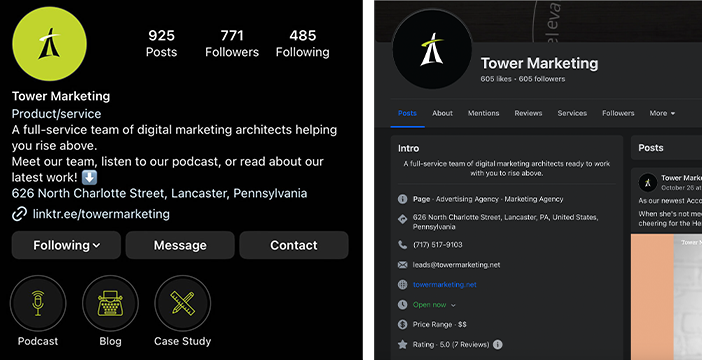
In this example, you can see that Tower Marketing uses consistent keywords, such as “full-service team” and “digital marketing,” to describe who we are and what we do. The address indicates where we are located, and our contact information makes it easy to reach out.
2. Content Optimizations
Content optimizations are related to the nature of the content you’re posting on your accounts. Are you posting topics that your intended audience is interested in? Do the graphics fit your messaging and reinforce your brand voice?
Understanding the desires of your target audience is incredibly important to your SMO strategy. If users aren’t interested in your content, they won’t share it and you won’t actually be expanding your reach.
After you’ve nailed down the content you should be posting, it’s time to optimize your content for engagement.
3. Engagement Optimizations
Engagement optimizations refer to the strategies your business can use to boost the performance of your posts. Perhaps the most obvious engagement tool you can use on social media is hashtags.
That’s right, hashtags are still effective in 2023! They help categorize posts into a digital filing system so that when a person uses a social platform as a search engine, all posts using that hashtag are accessible in one place.
Adding hashtags to your posts can ensure your content is filed in the digital system, increasing the chances of having new users discover your account. Experts recommend using 3-5 hashtags per post.
Aside from hashtags, two of the most important engagement tactics to consider are the frequency and timeliness of posts.
You’ll need to find the balance between posting regularly to keep your business top of mind without coming across as spammy. Determine the number of posts you’re comfortable with publishing per week or month and stick to it.
In addition to the volume of posts, the time that you post can directly impact engagement. If you’re posting on a day of the week or at a time when your audience is least likely to be active on social media, the post’s engagement will likely suffer.
Using industry research is a good place to start, but don’t be afraid to fine-tune your strategy based on the analytics you observe. Take note of high- and low-performing posts and analyze what factors contributed to their success.
When you can pinpoint what works and what doesn’t, you have a roadmap of dos and don’ts to implement in the future.
Also, keep in mind that every platform’s user demographic and algorithm is different, so your cross-platform strategy might have to vary slightly, too.
4. Community Building
Once you’ve done your due diligence to refine your profile, content, and engagement strategies, the final off-site SMO strategy is community building.
Remember, social media is an extension of your business, so the way you present yourself can impact your online reputation. The best way to ensure that your reputation is positive is by actively engaging with your followers.
This can include a plethora of things:
Liking and responding to comments/questions promptly.
Responding to direct messages.
Sharing other posts that your audience might be interested in.
Creating private groups for followers to engage with you and other like-minded users.
When you engage with your followers by showing interest and empathy, you’re building a reputation of trust.
In recent years, many social media platforms have introduced features to help with audience engagement. For example, LinkedIn, Facebook, Instagram, Pinterest, and X (formerly Twitter) all have a poll option, which invites users to share their opinions.
Here’s another example from Tower Marketing’s LinkedIn account, asking users to share how they help get out of a creative rut.
When you utilize these features and ask the right questions, you’re showing your audience that you care about hearing from them and not just sharing about yourself — something that can be a powerful tool for maintaining your community.
Website “On-Page” Optimizations
On-page SMO focuses on your website. More specifically, it entails optimizing the shareability of your content to control the way your posts are shown, shared, and displayed when distributed to a third-party site or social media platform.
Use Sharing Buttons
Making a webpage easy for users to share is a no-brainer. If you don’t already employ social sharing buttons on your website, that is the first on-page optimization you should be implementing. Adding social sharing buttons to your website content makes it simple for users to distribute your content to their networks.
In the same way that you should link to your website on social media, your website should link directly to your social accounts, too. Most businesses do this by nestling buttons in the site footer.
Here is an example of how HubSpot displays the links to their social media accounts. The icons are subtle but large enough to easily be found. They also communicate to site visitors what platforms they can find your business on.
Utilizing Rank Math SEO
If you use WordPress as your CMS, the Rank Math SEO plugin is a great way to optimize your pages and posts for social media. Rank Math adds a tag to your website that allows your business to edit how your site content is displayed on social media and/or search engines when shared.
Using Rank Math’s social tab, you can
Create a custom title, description, and image.
Generate social media images.
Customize Facebook or Twitter cards based on your needs.
Why does this matter? Because when you don’t optimize for SMO, it can look messy. Long headlines or descriptions might be truncated, leaving out important information intended to garner interest.
Previewing your posts using Rank Math’s social tools tab allows you to adjust your content and ensure the most important information is visible to your audience.
Here’s an example of using Rank Math to shorten the blog title and description for the Facebook card. On the left, you can see how the text is cut off because it’s too long. On the right, the description text and the title were both shortened to keep the social display less wordy and to the point.
SMO Tips & Takeaways That You Can Start Implementing Today
I don’t think enough businesses are strategically thinking through the opportunities available when they optimize their website and content for social. Here are some final SMO tips and actionable tactics that your business can start employing today.
Tactical Optimization Tips
Focus on what matters most. It’s not about optimizing for everything — it’s about optimizing for what you want to be known for. Write content that is specifically for your audience.
Be social. Remember that SMO isn’t about sales. It’s about people and creating relationships and trustworthiness. Connect, interact, and most importantly, be human. Sales will come as a result.
Try different calls to action. A good CTA helps increase engagement, so it’s figuring out which CTAs work best for your audience to click through.
Visual Optimization Tips
Use the right image dimensions when posting images on different platforms. This maintains an organized feed and ensures no images are cut off or distorted.
Post high-quality images. If you can, posting your own images tends to do better than finding and posting an image from Shutterstock. Authenticity is honesty is trust.
Keep your branding consistent across all of the platforms you’re active on. Don’t confuse your users. Colors, logos, and images should emulate your website.
Topic Optimization Tips
Use social media chatbots. Not everyone has time to respond to every user on social media. Social media chatbots are a great way for you to respond to users by programming responses based on frequently asked questions.
Use keywords from organic search and PPC. Including well-known search terms is a simple (but effective) way to optimize your social profile pages.
Learn from your competitors. What sort of posts are performing well for them? Who do they interact with the most?
Audience Optimization Tips
Know your audience. Use analytics tools that are freely available to create content that you know your audience is interested in.
Learn from your community. Ask questions and get firsthand insight from those who engage. Use this information to improve your products/services and business offerings.
Look for opportunities to engage. Find people you want to connect with and figure out how to start a conversation with them. Be social.
Conclusion
If you want your website to be found by the right people — the users who matter — SMO is essential to your marketing strategy. Great content can only be great if it’s found.
Does your business need help implementing on-site or off-site SMO strategies to expand your reach? Our full-service digital marketing team is equipped to help. Reach out to a team member to schedule a consultation.
This blog was originally published on December 18, 2019, and rewritten on November 3, 2023.
Encouraging brands to embrace digital marketing opened the doors for new opportunities and success, however, it also brought along a new set of challenges, one of those being a constant flood of marketing industry jargon.
In this blog, we will help you cut through the clutter and provide basic digital marketing terms you should focus on when building a strategy that will help you and your business succeed.
What is Digital Marketing – And Why Should You Care?
Marketing is everywhere, but when people think of it, they often think of billboards, magazines, television commercials, and even ads on the radio.
Digital marketing is the promotion of brands to connect with potential customers using the Internet or other forms of digital communication.
According to the Pew Research Center, three in ten U.S. adults claim they are “almost constantly” online. This explains why businesses are choosing to focus on digital marketing rather than traditional techniques. Using the Internet allows businesses to reach more customers in a shorter amount of time and with less effort. In addition, digital marketing is known to be more cost-effective.
Digital Marketing Key Terms
For brands to get the most out of digital marketing services they need to have a basic understanding of digital marketing terminology and the ability to differentiate these terms with buzzwords.
Buzzwords are words or phrases that are trending during a certain period. These words, or jargon, won’t have the same effectiveness as those that experienced marketers use and know.
Below, we’ve broken down some important digital marketing terms to start with as you build your knowledge.
Organic
When it comes to digital marketing terminology, you should know the three primary terms marketers will often use when they are discussing how to drive traffic (a term we will cover below) and gain leads. The first term is organic.
If someone finds your site on a search engine without clicking on an advertisement or other type of promotional content, it is considered organic traffic.
This is a natural way of spreading brand awareness and generating leads. For example, sending out email newsletters, publishing monthly blog posts and social media posts (not advertisements), or other pieces of content that don’t require a set budget.
Paid
The second way to drive traffic and gain leads is through paid marketing techniques. These include advertisements or campaigns that require a daily or lifetime budget. For instance, running monthly social media advertisements on LinkedIn.
Typically, businesses will find that paid campaigns perform better than posting organically. This is often because platforms will allow you to use detailed targeting. However, having a balance of both paid and organic marketing is beneficial since you’re likely to reach more people overall.
Referral
If a user finds your site without organically searching or clicking on a paid ad, it’s known as referral traffic. When someone visits a hyperlink from a social network or website and ends up on your site, search engines can recognize this as a referral visit.
Many businesses will also use UTM codes to track exactly where these users are coming from. Doing this allows you to see which social networks or sites are bringing in the most traffic.
Traffic
As promised above, the next digital marketing term everyone in the industry should be aware of is “traffic”. Simply put, traffic refers to the number of users who have visited your website or social media profiles.
This metric is crucial for every brand, but especially those who are trying to increase brand awareness. It’s important for marketers to not only see that traffic is coming through but also to locate where users are coming from.
For example, in Google Analytics, you’re able to identify if a user came to your site organically (in a search engine) or through a paid ad. Determining this will help you build a marketing strategy that is aligned with your overall goals.
Session
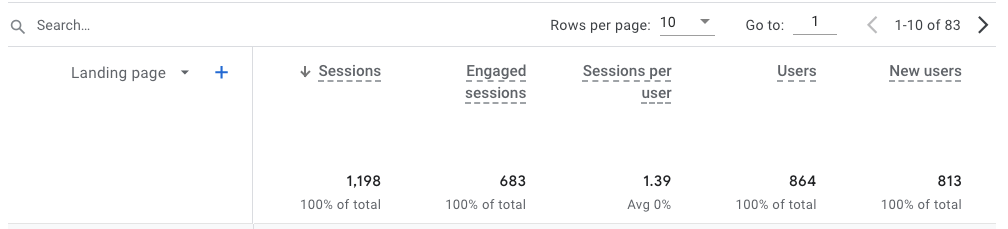
As we mentioned previously, you can track the traffic for your site in Google Analytics, but to do that you need to understand another key digital marketing term known as sessions.
Every time a user visits your site, they start a session, and after 30 minutes of inactivity, the session ends. This means if someone is on your site for even a second, they are counted as a session. In the same respect, if a user leaves your site and comes back a few hours later or the next day, it’s counted as a new session.
However, most businesses don’t simply want to know if people are visiting their site, but also how long they’re staying. This is where engaged sessions come into play. When a user stays on your site for more than 10 seconds, completes a conversion (we’ll discuss more about this below), or has at least 2 pageviews, it’s considered an engaged session.
While sessions alone can be helpful, engaged sessions are arguably more important because they show businesses that users are absorbing information on their site and therefore becoming one step closer to becoming leads or customers.
Lead
The primary goal of any company or business is to gain customers and increase revenue. Marketers can assist them in this by creating strategies to bring in new leads. A lead is any user that shows interest in a brand, product, or service.
Depending on the company itself, the quality of leads may vary, however, for the most part, a qualified lead refers to someone who fills out a contact form, requests a quote, signs up for a trial, or takes any other action that pushes them closer to becoming a customer.
Conversions
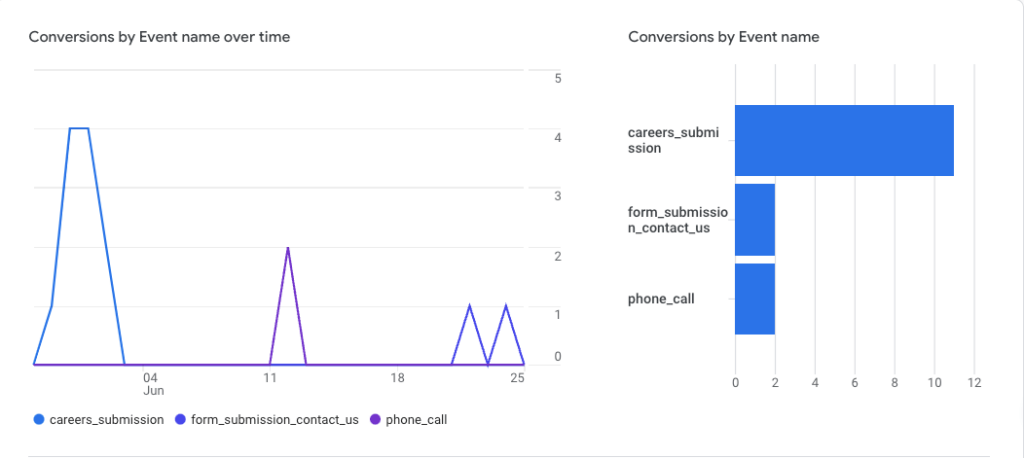
We’ve mentioned the term conversions a few times, which is appropriate because, in many ways, these are some of the most valuable metrics in digital marketing. When creating a marketing strategy, marketers will break down a number of actions they want users to take.
Conversions can vary in importance, what the business is trying to achieve will greatly impact what types of conversions digital marketers decide to set up.
This could be viewing a landing page, clicking a contact button, or downloading a file, a conversion happens whenever a user completes a desired action.
Call to Action (CTA)
A digital marketing term you’ll hear frequently is a call to action or CTA. This refers to the next step a marketer wants the audience to take to push them further through the sales funnel.
Usually appearing at the end of a content, ad, or email, a good CTA will be clear and concise. Often CTAs will include a direct link for a user to click on.
Whether it leads to a contact form, product page, or another resource, the goal of a CTA is to keep the reader engaged and interested in a service or product.
A/B Testing
Also known as “split testing”, A/B testing is a digital marketing term that describes the process of comparing two variables to determine which performs better.
For example, if you are experimenting with email headlines and want to see what is more effective, you can send out two emails that have the same copy, and list but contain different headlines.
Based on how each performs, you can determine which headline is stronger. This is a technique digital marketers use in several areas to improve conversion rates and optimize their content.
Key Performance Indicator (KPI)
Commonly referred to as KPIs, key performance indicators, are how marketers measure their progress against an objective.
There are two types of indicators to be aware of when creating goals: lagging and leading. Lagging indicators assess the current state of business performance while leading indicators work to predict future success.
It’s important to take into account both types because while lagging indicators aren’t helpful with making ongoing adjustments, they can help you shape your goals which should be based on leading indicators.
Tactical Digital Marketing Terms
Now that we’ve covered some of the basic digital marketing terms, it’s time to dive into the specifics.
Generally speaking, 4 main types of services go hand-in-hand with digital marketing. In the following sections, we’ll explain what these are and what terms are specific to the work they do.
Basic SEO Terms to Know
Search engine optimization, or SEO, refers to the process of improving a website to increase its visibility in search engines, like Google or Microsoft Bing. The main goal of SEO is to increase traffic and attract users who will become leads, customers, or an audience that continues to come back.
Title Tag– The name of a specific web page. These will appear at the top of a web browser or in search engine results.
Meta Description– Tied to a specific page, these are used to describe web pages and encourage users to click on links in the SERP.
Keyword– A word or phrase a user types into a search engine to find what they are looking for. Using keywords in titles, headings, and body of texts will help improve a page’s ranking.
Ranking Factors– The criteria applied by search engines when evaluating web pages to decide where each page should fall on the SERPs.
Events– A metric that records a specific user interaction or occurrence on a website, for example clicking a button, submitting a form, downloading a file, and more.
Conversion Rate– Measures the number of users who converted (taken action) as a percentage of the total number of users who visited a site. This can be calculated by the total number of conversions divided by the total number of clicks.
Basic Content Marketing Terms to Know
Content marketing involves the creation and distribution of valuable and relevant online material that is intended to promote a brand as well as spark interest in its products or services. These materials include a wide variety of content pieces from blogs to whitepapers.
Buyer Persona– A detailed description of a business’s ideal customer, outlining their customer’s desires, pain points, demographics, etc.
Bounce Rate– The percentage of users who enter a website and leave rather than continuing to browse pages within the same site.
Landing Page– Any page on a website where traffic is sent to prompt a specific action or result.
Copywriting– The process of creating content for web pages, blogs, or social media posts to convert users.
Customer Journey– An outline of the different steps users will take to become qualified leads, customers, or clients.
Sessions Per User– The average number of sessions each user engages on a specific site or application. This can be calculated by dividing a site’s session count by its user count.
Basic Email Marketing Terms to Know
Email marketing helps you reach potential customers, increase brand awareness, build customer loyalty, and promote other marketing efforts. The messages in emails can include valuable content, updates, coupons, or exclusive offers.
Email Automation– An email marketing strategy that sends specific messages according to certain triggers or scheduled times.
Dynamic Content– Email content that changes based on a user’s data, preferences, and behaviors to show them specific messaging.
List Segmentation– A process of breaking down email lists into smaller segments to create personalized messages.
Email Deliverability– The ability to successfully deliver emails to users’ inboxes.
Drip Campaign– A series of automated messages or emails sent to leads regularly and over a scheduled period.
Open Rate– The number of email recipients who opened an email.
Click Rate– The percentage of people who opened an email and clicked on a link or ad within the email. This can be calculated by dividing the number of emails clicked by the number of emails sent.
Click-To-Open Rate– The percentage of people who opened an email and then clicked a link within that email. This can be calculated by dividing unique email opens by unique email clicks and then multiplying by 100.
Basic Social Media Marketing Terms to Know
Social media marketing is the use of social media platforms to interact with customers to build brands, increase sales, and drive website traffic. Social media can be shared organically and can be used for paid advertising.
Impressions– The number of times content has been shown on the feeds of social media users.
Engagement Rate– A metric that shows how much interaction a social media post or ad campaign earns from users. This can be calculated by dividing the total engagement by total followers and then multiplying by 100%.
Conversion Rate– The percentage of users who follow through a social media post or ad’s call to action.
Cost Per Click (CPC)– A metric that determines how much advertisers pay for social ads based on the number of clicks the ad receives. This can be calculated by dividing the advertising cost by the number of clicks generated by the advertisement.
Click-Through Rate (CTR)– The number of clicks an ad receives divided by the number of times an ad is shown.
Staying educated about basic digital marketing terminology is beneficial for businesses because it gives them the ability to not only understand what other competitors are doing online but also the chance to create a marketing strategy that will put them ahead of their competition.
With this knowledge, you have the opportunity to build relationships with like-minded people who can help tell your brand’s story and achieve your goals.
Interested in learning more about digital marketing? Browse our case studies to see some of our recent marketing projects.
This blog was originally published on March 30, 2021, and updated on November 1, 2023.
Two and half decades have passed, and today’s Google looks very different from the Google of 1998.
We’ve seen countless Google updates over the years. From the knowledge graph, to featured snippets, to pandas, penguins, and hummingbirds—oh my! With so many Google algorithm updates and SERP changes, we’re reviewing a complete Google history to get you up to speed.
Take a scroll down memory lane and learn about some of the biggest Google algorithm updates and notable SERP changes by Google over the years. It all kicks off in the 90s.
1998: Google Is Born
Google’s inception actually dates back to 1995 at Stanford University. Two students, Larry Page and Sergey Brin, developed a dorm room search engine project that eventually sparked the interest of Silicon Valley investors. In August 1998, Google Inc. was born.
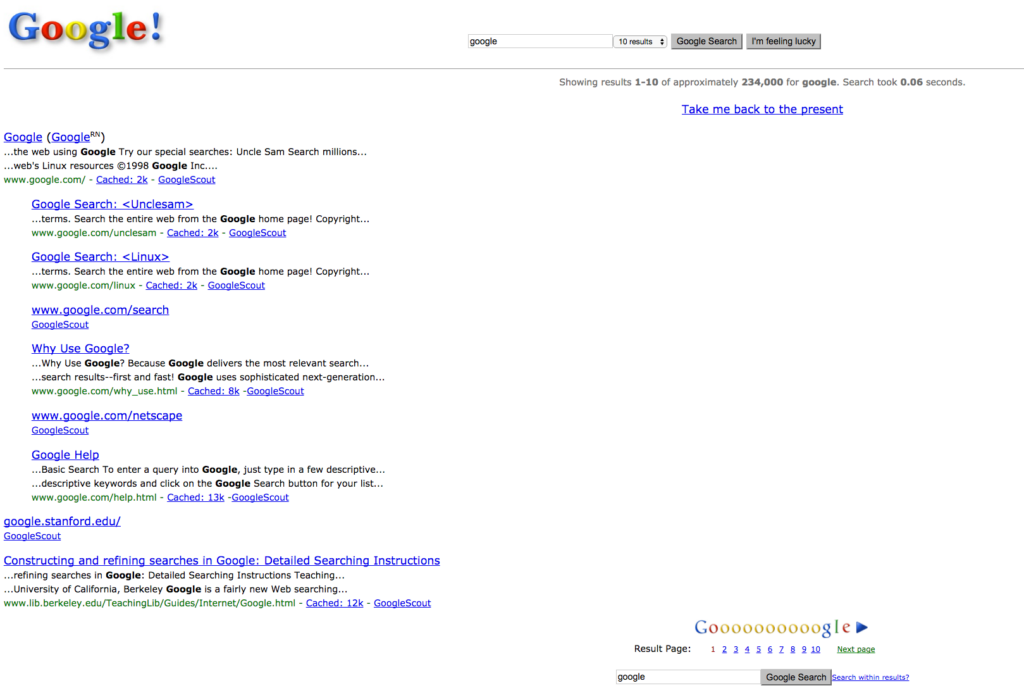
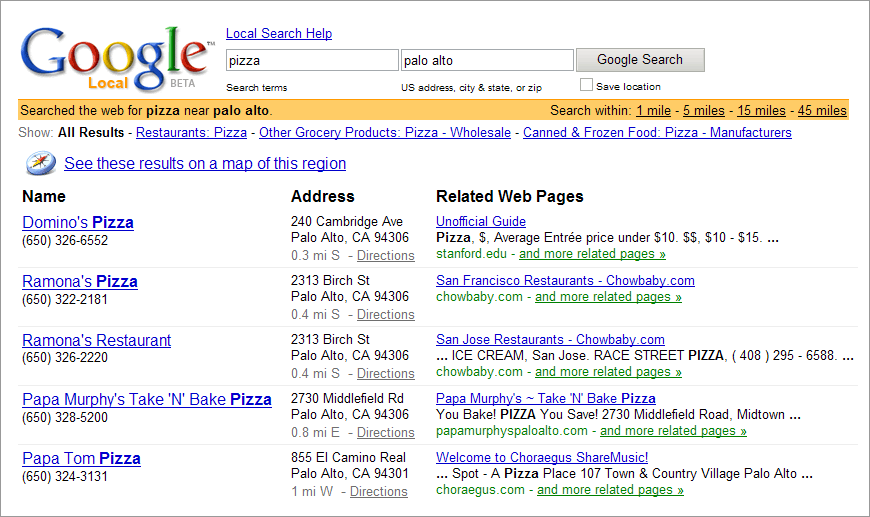
1998 Google was Google in beta, so it was still well on its way to becoming the best search engine. Think minimalist chic Google. Google ads and local listings weren’t a thing yet, so Google’s SERP featured a lot of white space. But that all started to change after the turn of the century.
Google’s Terrible Twos & Toddler Years (1999-2004)
Google started to change between 2003 and 2004. The introduction of online local listings, All Results, and Google Ads were the biggest Google algorithm updates in the company’s early years.
Google introduced online local listings to help users find results tied to their specific area. The All Results tab allowed users to search a variety of search options, and Google Ads… well, they continue to frustrate the masses.
Google also started cracking down on spammy search results before other search engines. The company worked hard to ensure their results were the most accurate and less likely to cause users headaches and frustration.
Google Algorithm Updates from 2005-2010
“Minimalist chic” Google disappeared after the advent of Google Ads, and Google’s SERP now began to feel a bit more cluttered.
On the bright side, Google Suggest arrived in 2007 allowing users to shave seconds off of their search time, and giving us all hilarious insight into the searches of our peers.
The button still exists today, but around the 2009-2010 mark, with the combination of Google Instant (also gone) and Google Suggest, the button was basically defunct.
Advanced Search was still part of the regular search function in 2010 and other search tools appeared on the left-hand side of the SERP, allowing users to tap into a more specific search query.
Unlike today’s results, the SERP design was much more vertical; notice how the sitelinks under the primary domain are vertically aligned rather than today’s horizontally aligned sitelinks.
While this change may seem self-explanatory, a more horizontal approach means a) more search results per page and b) more detailed search results. These purely user-driven decisions were what led to major Google search updates. Next up: Google’s animal era.
Pandas, penguins, and hummingbirds ruled this epoch of Google history. Let’s break down these updates in more detail.
Google’s Panda Update (2011)
This update sought to “reduce rankings for low-quality sites—sites which are low-value add for users, copy content from other websites or sites that are just not very useful.”
The update, named after Navneet Panda (an inventor on the accompanying patent for the update, not a panda bear), launched in February 2011 and noticeably impacted rankings on 11.8% of queries.
Google’s Penguin Update (2012)
Google’s Penguin update was a landmark update and one of the most notable SERP changes by Google. It cracked down on sites engaging in webspam tactics like keyword stuffing (unnaturally forcing keywords into content) and link spam (link inclusion purely to boost SEO).
Effectively, any site attempting to manipulate search rankings by abusing SEO tactics was punished by Google’s Penguin update. Google announced the update in 2012 and made it part of its core algorithm in 2016.
Google’s Hummingbird Update (2013)
Aptly named for being “quick and precise,” Google’s Hummingbird update was essentially a rewrite of Google’s core algorithm.
The update improved Google’s ability to handle natural conversation in search queries. Instead of matching all words in a query to the words on a web page, Google began intuitively ignoring certain words that weren’t super relevant to a searcher’s meaning.
The Knowledge Graph (2013)
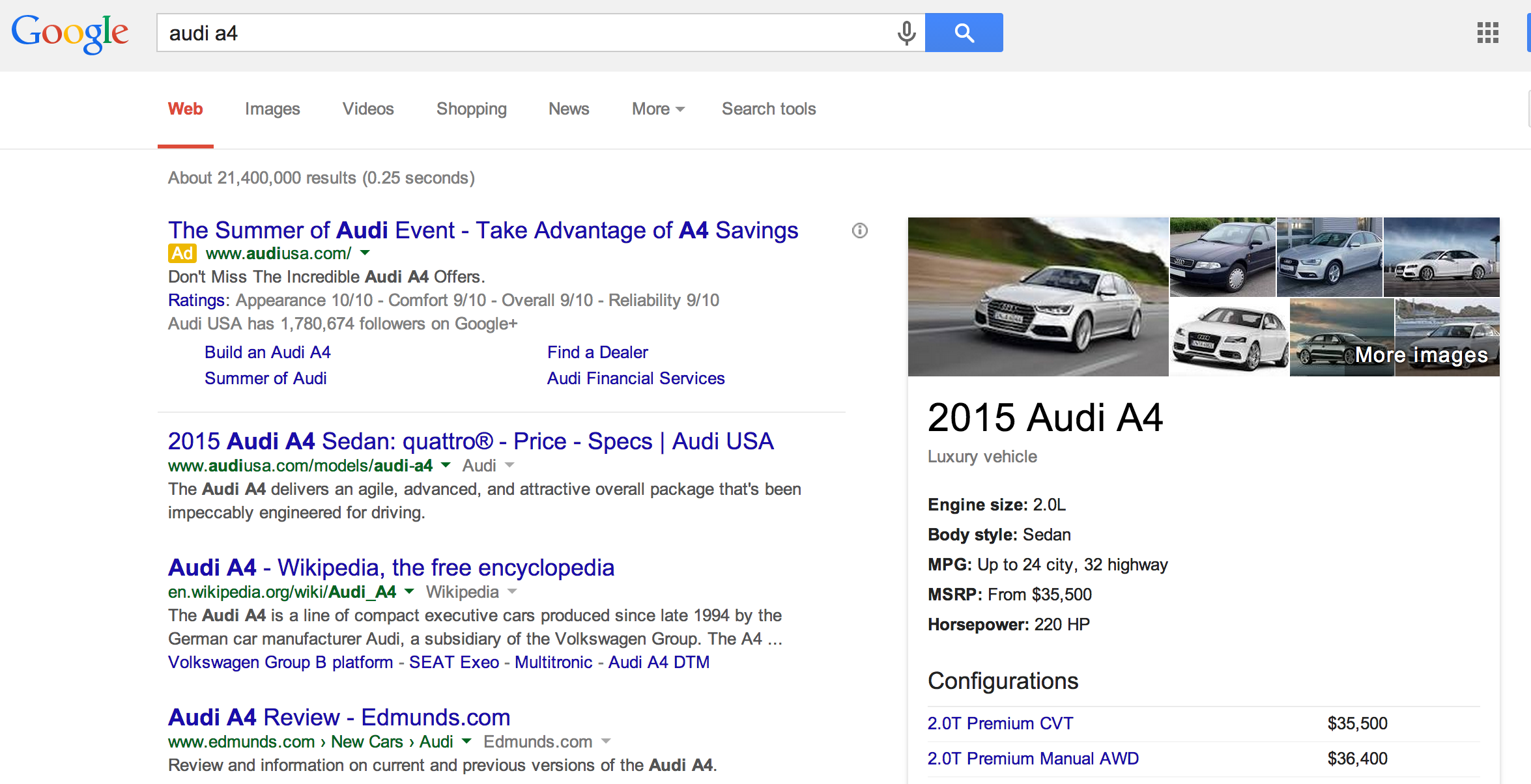
Not an animal update, but still fun! Google launched the knowledge graph and corresponding Carousel in 2013 to create Universal Search. With this new feature, Google tossed all search results together instead of separating them out (video on top of an image on top of a domain).
Ads were limited to 3-4 above the fold with more at the bottom of the page. Local listings were a part of the natural landscape of the search results (although fewer were shown). All Results were placed at the top of the results pages, and then visuals busted onto the scene.
Humans are visual creatures. Seeing an image with text helps us make connections to what we are seeing and searching for. By creating a more visual experience, users had an easier time finding what they needed through Search.
Google Goes Mobile (2014)
By 2014, Google had successfully become our third, digital arm. We were using Google not only to search but to create ads, email, track our web analytics, and search for crawl errors.
But what was one of the most important transitions of 2014? Mobile.
Not only did Google start stressing the importance of a mobile-friendly site (followed by the highly anticipated Mobilegeddon in 2015), the aesthetic of their entire page changed between 2010 and 2014 to reflect a cleaner surface, fit for tinier screens.
And let’s not forget Voice Search. As a growing number of users adopted smartphones and began searching through mobile, the ability to quickly ask a question hands-free became more and more of a necessity. This was the dawn of the phrase “OK, Google.”
Google Algorithm Updates from 2015-2019
2015’s Mobilegeddon, or Mobile-Friendly Update, rewarded mobile-friendly websites with better SERP rankings. As we said, mobile became a massive game-changer for Google during this era.
The RankBrain update also arrived in 2015 and improved Google’s ability to understand new, complex queries. It was essentially Google’s first AI system and deep learning model, allowing Google to intuitively identify related words and concepts.
With new Answer Boxes to recent Tweets (now X’s?) and stories, there was often no reason to leave Google’s SERP page. Product Graphs also arrived at around this time, giving users a breakdown of a product before even visiting the site.
Images and videos appeared above the fold now. The “snack pack” version of local listings gave a user everything they needed to know about contacting a business before even clicking on its website link. And even with longer meta titles & descriptions, organic results got pushed further down the page.
In 2018, the Google Medic Update targeted medical sites that didn’t comply with Google’s E-A-T (now with an extra “E”) guidelines. Essentially, the update punished sites that were making unsubstantiated medical claims.
Google’s BERT Update in 2019 introduced a natural language processing (NLP) algorithm that helped Google understand the nuances of users’ search queries. BERT stood for Bidirectional Encoder Representations from Transformers. What’s that exactly?
Basically, BERT assesses all words in a complex search query to give users the most relevant results to their query, rather than just searching for content based on individual words. With the BERT update, the 2010s chapter of Google closed with some impressive new features. So what’s happening with Google’s latest updates?
Google Algorithm Updates from 2020-2023
Google algorithm updates in recent years have mostly revolved around spam and product review updates.
Google cracked down on spammy links in 2022 by making improvements to SpamBrain, Google’s AI spam-detection system. Any sites engaging in spammy practices or violating Google’s spam guidelines saw worse SERP rankings.
For product review updates, Google began rewarding sites with rich, in-depth reviews rather than thin, low-quality reviews that weren’t as helpful to readers.
These product review updates coincided with Google’s Helpful Content Update. Essentially, the updates ensured users saw more helpful, high-quality, and original content.
Closing Thoughts After a Scroll Down Memory Lane
Google is constantly changing, and it’s safe to say Google will keep growing and changing for years to come. With ever-evolving AI technology and tools like Bard, search will become even easier.
In February 2023, Google announced, “Soon, you’ll see AI-powered features in Search that distill complex information and multiple perspectives into easy-to-digest formats, so you can quickly understand the big picture and learn more from the web.”
With that said, having to balance UX with revenue-driving tools can be difficult. And staying on top of the latest Google search results trends and major Google search updates can be equally challenging.
Have other questions about Google algorithm updates? Or need some more Google guidance? Reach out to our team for answers on all things Google!
This blog was originally published on September 12, 2016. It was updated on September 1, 2023.
Whether you’re looking for the best search engine for research or simply checking the weather forecast in your area, it’s a widely held belief that there are few (if any) search engines better than Google.
From the first time it appeared to the public, Google has had its grip on internet users worldwide. After reading this blog, you’ll understand why Google is the best search engine as well as how your business can leverage its many benefits.
When Did Google Come Out?
In 1996, two graduate students attending Stanford University wondered if there was a new (and better) way to search the World Wide Web. Together, they decided the answer was yes.
Sergey Brin and Larry Page would go on to invent one of the most popular search engines in the world. Working out of their dorm room, they created “Backrub”, a project that used backlinks to determine the importance of individual pages on the internet.
By the time 1998 came around, Brin and Page founded Google. The name change was meant to play off the mathematical expression for the number 1 followed by 100 zeros. They believed this name reflected their mission of organizing the world’s information in a way that was accessible and useful to everyone, everywhere.
What began as a small online search firm would turn into a search engine with more than 50 internet services and products that can be used by businesses, developers, and anyone else looking for information.
Why is Google so Popular?
“Google it”.
It’s a familiar phrase to hear someone say or even think to yourself. For years, Google has been the go-to search engine for internet users across the globe.
While other search engines have continued to grow and become more efficient in many ways, Google remains the majority’s choice. As simple as it is to tell someone to “Google it”, the process behind the scenes is far more complex.
Search Engine Algorithms
One of Google’s central claims to fame can be attributed to its search engine algorithm. These algorithms make the user’s experience a top priority.
Search engines collect formulas that will help them determine the quality and relevance of a particular ad or web page. A large result of Google’s popularity came from their creation of complex algorithms which improve an individual’s search process.
Google has reported that its algorithm changes hundreds of times a year, making its results more timely and accurate than any other search engine. In addition, Google uses more than 200 ranking factors when determining which results to show to a viewer and in what order.
The precision of a search engine algorithm works to ensure that users are getting the information that they need immediately, rather than having to scroll through pages of search results.
Search Engine Features
Another substantial reason why Google is the best search engine is its various features. Search engine features are the additional elements an individual will see on the result page.
Search engine features don’t only make the user’s experience better, they can also be beneficial to the business or website. In order for businesses to get their site content to appear in search results, they should follow a few key practices:
Also known as SERP features, Google offers an assortment of characteristics that provide the user with a more efficient and comprehensive search experience.
Search Engine Trends
When weighing search engine pros and cons, it’s important to mention Google Trends. These trends are search terms that are popular on Google. Businesses can benefit from search engine trends for a variety of reasons, including:
Businesses can research popular topics and see how they are currently or will be trending in the future. This allows them the opportunity to create content that will drive traffic to their site.
Businesses are able to watch the pattern of trends which gives them the advantage of knowing when to expect certain volume drops.
Businesses can also use trend patterns to anticipate and leverage a surge in specific search activities.
Google offers both basic and advanced trends, which vary depending on the precision of the data and analytics shown.
Closing Thoughts: Why Google is the Best Search Engine
While Google has successfully mastered many unique characteristics to make its search engine the most popular, it hasn’t forgotten about the basics.
At the end of the day, a reliable and efficient search engine has 3 things:
Significance. Google is known to crawl more web pages than any other competitor, leading them to gather a more relevant set of results. Its search index contains hundreds of billions of web pages and is over 100,000,000 gigabytes in size.
Simplicity. Throughout the years, Google has kept a single-minded focus on its goals: search and the user experience. Through building A/B testing frameworks to investing in data center technology, Google has managed to keep its site clear, concise, and convenient.
Interested in improving your site’s rank in Google SERPs? Our SEO specialists know everything when it comes to optimizing websites.
This blog was originally published on June 15, 2020, and updated on July 18, 2023.
The big countdown to GA4 is finally coming to a close, and it brings a lot of changes, which include user engagement metrics. We’ve outlined the 8 key GA4 differences you can expect, but now we’ll explore how to use the engagement metrics in Google Analytics 4 to your advantage.
Once you become familiar with user engagement in Google Analytics 4, you’ll be able to use these metrics to better define your marketing strategies and ultimately gain an extensive understanding of your audience.
What User Engagement Metrics Should You Track?
There are a lot of metrics for you in GA4, and trying to track all of them would be very overwhelming. On the other hand, if you’re not tracking the right ones, you might become more confused about what’s successful for your company and what needs work.
As you consider what metrics to track, you should align this with the purpose of your website and your company’s marketing goals. For example, if you’re looking to sell your products or services online, your KPIs are going to look slightly different than a company looking to provide thought leadership to its audience.
Below, we’ll outline some of the most influential user engagement metrics you can track to know the effect of your marketing strategies.
In appropriate sections, we’ll highlight an industry average or target range. This may vary depending on what type of industry you’re in, so you can always use Google’s benchmarking tool to find specific averages on user engagement.
Users
There are three different types of users that you should be aware of in Google Analytics 4. Each is similar but tells you a slightly different story about what your audience is doing on your website.
New Users. In Universal Analytics, each device counted as a new user. However, GA4 will use cross-device tracking to recognize the same user on different devices.
Total Users. Similar to what you’ve seen before, total users let you know the number of users that had an event on your website during a specific period of time.
Active Users. Active users are a new metric you can track within Google Analytics 4. These are engaged users, or someone who stayed on the page for longer than 10 seconds, had a key event or visited more than 2 pages on your website. Ideally, a good benchmark for active users is 60% – 70% of your total users.
*Note that in Google Analytics 4, active users will be labeled as just “users”.
Why is this metric important for understanding user engagement? Increasing new users is a really great indicator that your brand awareness is growing. If you want to take this a step further, you can also see how many of these users are engaging with your website, viewing multiple pages, and spending more time on your site.
If you’re noticing that you have a lot of new users but not as many active users, it may be because your site needs some UX improvements so visitors are given a great first impression of your website.
Engaged Sessions
The engaged session metric will also be something new with Google Analytics 4. Just like with an active user, an engaged session is when someone spends more than 10 seconds on your site, viewed more than 2 pages, or completed a key event.
An additional, new metric in Google Analytics 4 is engaged sessions per user. This number can be found by dividing the number of engaged sessions by the number of total users. So, if you have 683 engaged sessions and 1,100 total users, your engaged sessions per user is 0.62, or 62%.
Why is this metric important? What we provided above highlights your entire website’s engagement. But you can also narrow this down to specific pages. By finding specific pages that have higher engaged sessions, you can continue to promote that product/service/insight on multiple platforms.
On the other hand, you can find pages that aren’t performing as well and have lower engaged sessions. This could be a great indication to rework those pages, rewrite the blog, or to better promote the page across different mediums, like social media and email blasts.
Bounce Rate
Since engaged sessions are now an engagement metric in Google Analytics 4, you can use it to get a better idea of what your bounce rate percentage is. Simply inverse the percentage of engaged sessions to get your bounce rate.
This bounce rate will tell you how many users stayed less than 10 seconds on your site. So, continuing with the example above, if the engagement rate is 62% that means that 38% of total users went to your site and then immediately left.
Average Engagement Time
This is an important metric to show you how long your active users are spending on your website. If you’re noticing that people aren’t spending a lot of time on your page, and aren’t converting, it’s likely that something needs to be adjusted.
Again, use this metric to see where users are spending the most time on your site. If you’re noticing that your blog posts, case studies, landing pages, or other online materials are getting little engagement time, try creating evergreen, engaging, and authentic content.
Events
Now the main difference you’ll see in UA vs GA4 engagement metrics is it’s now tracking events rather than goals. Ultimately, this is going to help you see a more well-rounded view of your users and their engagement.
Make sure the events you are tracking are the most important for measuring your marketing strategies. So, if you’re an eCommerce website, you probably want to be tracking when users are browsing the inventory, adding products to their carts, and eventually checking out.
If your website’s main objective is to disperse information and show yourself as an industry expert, you should be tracking events that occur on your blog posts or case study pages. Events like page scroll depth, video progress (if relevant), and clicks.
Key Events
In Universal Analytics, you had to set up goals that would then track your key events. It’s going to look a bit different in Google Analytics 4. All goals have turned into events, and you can mark your most important events as key events, previously known as conversions.
Simply select the start to indicate which events you’d like to mark as key events. We recommend marking events like form submissions and phone calls as key events.
Why is this metric important? No matter the purpose of your website, you’re going to want users to take action. Key events are one of the best ways to track user engagement in Google Analytics 4.
Not only can you see specific actions being taken, but you can see where these key events are coming from. You may see key events come from an email campaign you sent out, a social advertisement, or a pay-per-click campaign.
Especially during a time when you need to reevaluate your strategies, being able to see where key events are happening can help you focus your attention on those specific channels.
How to Improve Engagement Metrics in Google Analytics
With a little time, specific tools, and website testing, you can make changes that will benefit users navigating your site.
Explore the Why
In marketing, there isn’t usually a one-size-fits-all answer as to why things are happening. Here are a few tips you can explore to gain a more accurate depiction of ways to improve your engagement metrics.
Depending on your industry, there could be multiple reasons for a decrease in engagement. If you work in an economically dependent industry, this could play a huge factor in site engagement.
There will be similar effects if your business has a seasonality factor. If that’s the case, try comparing year-over-year data rather than month-over-month, so you can get a better view of what’s happening through each season of the year.
If you are seeing dips in engagement, don’t panic! What’s important is that you’re continuing your strategies and creating engaging, evergreen content that can be used across multiple platforms to engage more of your audience.
Encourage Engagement Across Multiple Channels
It’s important to reach your audience where they are. Cross-promotions allow for your message to spread to a wider audience, nudging them to visit your site and discover your content.
As we said, there sometimes isn’t a definitive answer to why engagement is increasing or decreasing. So, it’s never a bad idea to test what you think may be the reason for the fluctuation or try implementing a new strategy.
When you’re A/B testing, make sure you’re not changing everything at once. You should only change one element at a time, so you can accurately identify the most positive effects on your user engagement in Google Analytics 4.
Need help analyzing your current strategies and pinpointing areas of improvement on your website? Contact our specialists today!
This blog was originally published on September 25, 2019, and updated on June 28, 2023.
Blog writing seems deceptively easy. Some people think that all you need to do is write new and compelling content, publish it on a consistent schedule, and new traffic will be generated. While that is a necessary part of the process, experienced content marketers know there is more to it.
One way to drive traffic to your website is forum link-building. After reading this blog, you’ll learn why forum link-building is important, what forums you can use, and why it’s beneficial.
What is Link Building?
Link building refers to the variety of methods marketers use to increase the number of high-quality links that refer to your website. It often includes spending lots of time researching and reaching out to external sources.
If you use the correct link-building strategy, you can increase your website traffic, boost your brand awareness, and increase your domain authority.
What is Forum Link Building?
This type of link-building activity uses forums. By interacting on the forum and answering questions, you can establish backlinks to your website.
These backlinks increase your page’s ranking in Google Search Engine Results Pages (SERPs) because you have more links pointing back to your site. This becomes important when you’re trying to outrank competitors in your industry.
Why Should You Use It?
You want to be known as an authority in your industry and a brand people can trust. Every time you interact with a person is a chance to build a relationship with your audience. Creating quality content to share also demonstrates your brand’s expertise.
This content gives your audience something to refer to when checking your site. They might not have originally gone to your website for this topic, but they’ll remember you had a post on it. Since you’ve already built that trust with your audience, you’ve become a go-to resource for them, making it more likely that they will recommend your site to others or visit again.
What Forums Should I Use?
If people discuss a topic, then there is a forum for it. There are forums for cars, travel, cooking, computer programming, and everything in between. But are all forums created equal? Below we’ll explore which ones are going to best benefit your website.
Quora
Quora is a question-and-answer forum. It covers over 400,000 topics and is used by 300 million people per month.
Why Should You Use It?
While anyone can use Quora for advice on any issue, it can be more professional than other forums. Part of that is because the site is heavily moderated and any topics or answers that don’t adhere to the guidelines are removed.
Since Quora is only for questions and answers, your answers are less likely to get lost in conversation threads.
Stack Exchange/Stack Overflow
Stack Exchange and Stack Overflow are online communities that allow users to ask and answer questions, mostly on technology and software. Stack Exchange is the overarching network and Stack Overflow is a specific community hosted in that network.
Why Should You Use It?
Stack is one of the largest and most active programming Q&A communities on the internet, with a large community of users who provide help and support to other developers around the world. It is a well-known resource for programmers and software developers. If you’re a part of that industry, being involved with Stack is a good way to get your brand out there.
Reddit
Like Quora, Reddit is a social news and discussion website where users can submit content, such as links, text posts, and images, and engage in discussions with other users. It has 430 million monthly users. Where it differs from Quora is that Reddit shows the latest news as well.
Why Should You Use It?
Since more people use Reddit, you can reach a larger audience. Reddit also allows you to discuss recent news stories and see what issues your audience is interacting with.
There are questions on a variety of topics and different subcategories for more information/discussion to go more in-depth on an issue.
However, something to keep in mind when you’re using Reddit is to do some research before you start using this platform. Discussions can get contentious fairly quickly on Reddit so it’s a good idea to do some research and understand your community before you start posting.
Medium
Medium differs from the other platforms we’ve discussed as it’s a blogging platform. Once you create an account you can go on and either write blogs or you can repost ones already on your website. You can also determine if your articles are behind a paywall or not.
Medium is free to everyone; however, non-members are limited to three free articles per month. To gain unlimited access, you can get a membership to the site.
Why Should You Use It?
While there isn’t as much interaction on Medium, you can still create content that links back to your website and help you become an authority within your industry. You can also still reach portions of your target audience and see what content matters to them. While not instantaneous, it can still be a good research tool.
Which One is the Best?
Deciding which forum is best isn’t easy. It depends on several factors including your overall content marketing strategy, your audience demographics, the industry you’re in, and what you want to achieve.
For example, if you are a clothing designer, you might not use a forum like Stack Exchange that focuses on programming and software development. You might want to go somewhere like Reddit or Quora because you are more likely to find your target audience there.
What Can You Accomplish With Forum Link Building?
Before you start on any project, you must establish what the benefits are for your business—what potential outcomes you would expect. When you start on your forum link-building journey, here are some of the potential benefits you can experience.
Establish Your EAT
The acronym EAT stands for Expertise, Authority, and Trust. It’s a marketing theory that helps websites rank better in Google SERPs. However, it can be applied to just about any type of marketing, including forum link-building.
Expertise
Being a go-to expert in your field will not go unnoticed on whichever forum you select. By answering many questions with useful and relevant information, you will gain followers who will recognize your knowledge of the topic or industry.
Authority
In this case, authority goes hand-in-hand with your expertise. Answering questions gives you the ability to position yourself or your company over your competition.
Trust
By being a beneficial resource for users, you’ll work on gaining trust. That can then turn into loyalty, which means users will be more willing to use you or your company’s products and/or services over others.
Generate New Content Ideas
When you’re creating new content for your website, forums are an overlooked place to find content. Thanks to the vast amount of users using the platform each day, you’re bound to come across various patterns in the topics you see.
You’re likely to see questions surrounding your industry that you haven’t thought of. You can then use this information to create new, unique content for your website.
Gain Insight Into Your Audience
As you’re looking through posts on the forum, you can get an idea of what topics your target audience is interested in or have questions about. The forum lets you speak directly with your audience and gain valuable targeting data.
Drive Traffic To Your Website
The goal of using link building is to drive quality traffic to your website. If you have great content but no one’s seeing it, then you have a problem.
Getting your brand out in front of your audience and answering their questions helps show them that you’re knowledgeable and should be taken seriously as a resource.
How to Get Started Building Forum Backlinks
Now that we’ve gone over all the benefits of using forums for link building, the real work begins—using the forum. However, by using these simple steps, you can get started sooner than you think.
1. Create Your Forum Profile
Once you’ve created your content, the next step is to create a profile on your forums of choice. You can create an individual profile or you can create a profile on behalf of your company. It all depends on if this is for a personal project or for a business.
2. Find Questions to Answer
Go through the forum and collect different questions you can confidently answer. When you’re searching for topics, you can bookmark topics so it will be easy to find them the next time you log in.
Look for questions that speak directly to your brand and messaging. Don’t try to make questions fit what you’re saying—your audience can tell when you’re being disingenuous and that will lead to you losing credibility with them.
3. Carefully Craft Your Answers
When you’re ready to begin answering questions, make sure your answers stand out from others. Don’t rush through your answers—take your time to think out your response and make sure that it’s beneficial.
Using the suggestions below, your answers will be concise, clear, and useful for users.
Format answers
Use images
Create links
Make sure answers have value
4. Maintain Your Profile
Once you’ve started your profile, you’ll need to take time to maintain it. Some of the ways you can interact with your profile are:
Continue answering questions
Add content to your profile page
Interact with other members
Create questions for other users to answer
Is Forum Link-Building Right for You?
Having relevant, SEO-optimized content already created eases your workload as you try to link build and connect with your audience. You’ve done the hard work, now you just need to share it with your audience.
Remember, you want quality traffic over quantity. You are going straight to the source and talking directly to the audience you want to target. Since they’re searching for what you’re offering, they’re probably going to be interested in what you have to say.
Using forums provides the ability to spread brand awareness and speak directly with your audience, which helps you understand them better.
Want help reaching your target audience through forum link building? See how working with an experienced full-service agency can support your business.