0

Picture searching for a common product like a television—friends give you opinions in a group chat, AI chatbots offer product comparisons, you Google the nearest stores on your phone, and you read a review on a blog. 

Every purchase has become a journey, and the steps from A to Z are only growing.  And, if you’re reading this article, it’s probably your job to track how people move through multiple channels and mine valuable insights for building your brand. 

But keeping track of the user behavior of thousands of people can begin to seem overwhelming with tools, facts, charts, and privacy regulations. 

Thankfully, you’re not alone. The same technology that has complicated the buyer’s journey can also help to track and process this info—if you learn how to find the right insights from the data.

In this blog, we’ll take a journey of our own to unpack the mysteries of content marketing analytics and focus on the tools and metrics that are most important to the success of your brand.

TWR Lightbulb Icon Black Content Marketing Analytics That Actually Deliver Actionable Insights

Did You Know? Over 600 million blogs exist worldwide and 7.5 million posts go live every day. In a world of AI automation, a strong analytics strategy ensures your content stands out and reaches the right readers.

Theory vs. Real-World Scenarios: The Complexity of Attribution
TWR BlogGraphic March Content Marketing Analytics That Actually Deliver Actionable Insights
McKinsey & Company

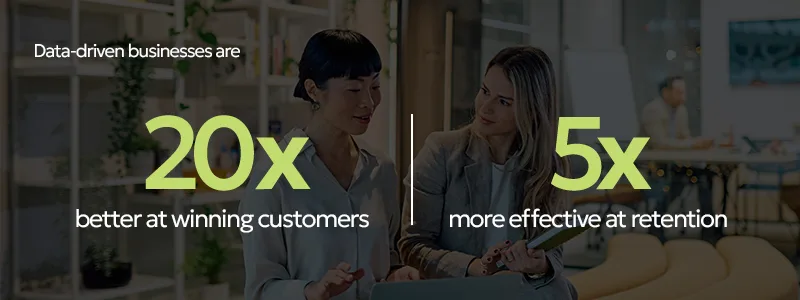
Businesses that translate spreadsheets of data into day-to-day marketing decisions consistently win online.  

Why?

You can only improve what you can track and correct what you can measure. 

That means every customer interaction is a potential data point. But the modern reality of attributing a click to a specific channel is complex. 

Marketers often call this concept “dark social.”

And no, it doesn’t refer to the back alleys of the internet—it refers to the traffic that gets missed when reviewing analytics.

If you see a blog with a review of a product, snap a photo, and send it to a friend—who will know about it? An analytics platform can’t track private messages and brand mentions as word-of-mouth sales. 

It’s a significant problem for attribution—which content led to the sale or signup? If you rely solely on last-click attribution (assigning 100% of conversion credit to the last touchpoint before a customer took action), then you’ll miss hundreds or even thousands of results.  

Thankfully, the solution is simpler than you might think—look at your data from an aggregate, blended perspective.

The Blended View of Data Analytics

Let’s break down what blended data actually means.

Sometimes analytics are like a microscope—they focus on highly specific details when you need to step back and look at the big picture. 

For example, imagine you run a sponsored content campaign on LinkedIn to promote a new industry report on your website. Google Analytics might state that content didn’t generate conversions, leading you to cancel the campaign.

But when you step back and look at your blended data, Google Analytics may also report that direct landing page views increased the day you started the content campaign and then dropped sharply when it was paused. 

The answer to this mystery is aggregate data. It’s an invisible path—people saw the content, didn’t click immediately, but searched for your brand later to follow up.

The solution? Always look at the complete picture of your marketing performance.

TWR Book Icon Black 1 Content Marketing Analytics That Actually Deliver Actionable Insights

The Research Says: 63% of consumers prefer sharing content with messaging instead of public forums. Consistent direct traffic to specific blog URLs is often a strong indicator of high-intent private sharing.

The Tech Stack: Marketer Essentials

Every person who works in marketing or who has a brand that wants to market needs a toolkit. 

These platforms can revolutionize your approach to content marketing analytics as you learn what works for you and build a pipeline.

A businesswoman holding a laptop and pointing to a large digital screen displaying bar charts, demonstrating the results of various content marketing analytics tools.

My top picks for tools include: 

  • Google Analytics 4: A next-generation website performance platform tool used to track user behavior, event conversions, and traffic sources.
  • Google Search Console: An iconic search monitoring tool ideal for analyzing keyword rankings, organic click-through rates, and SEO health. 
  • Semrush: A comprehensive SEO and visibility platform used to monitor competitor rankings, research high-value keywords, and identify gaps in your content. 
  • HubSpot: A well-known customer relationship management (CRM) and marketing suite used to attribute specific content interactions to lead generation and individual customer journeys.
  • Hootsuite: A convenient all-in-one social management platform that aggregates engagement metrics and compares content performance across multiple platforms.
  • Microsoft Clarity: A powerful data visualization tool that allows you to “see” how users interact with your website through intuitive, color-coded maps of their clicks and scrolls. While traditional tools give general insight that a user scrolled, a heat map shows you why they stayed and where they “rage clicked” in frustration, revealing opportunities for improvement.

Want help building a content strategy that takes advantage of your analytics data? We’ll make sure you reach the right audience with the content they need. 

A diverse corporate team collaborating in a glass-walled meeting room, leaning over a desk to review printed content analytics and data reports.

Fundamental Metrics for Content

In the modern marketing world, you’ll often find people talking a lot about clicks and site traffic. But it’s vital to remember that no one metric should be taken alone—you need a complete picture.

For example, imagine if you made a blog post leading people to a landing page for an event that states they should come back in a week for updates. 

Then, 10,000 people click on the link. That’s a success story, right? Not quite. If the large majority of those readers don’t return in a week to receive the update, then they were simply casual window shoppers who didn’t actually find significant value in your content. 

That’s why we’re going to explain several of the core metrics you need for a complete picture.

Reach & Engagement: Measuring True Audience Depth

Reach and engagement metrics reveal the “stickiness” behind your content—once a user sees your brand, are they staying with the content and possibly returning in the future?

The main metrics to answer this question include: 

  • Qualified landing page traffic: Raw traffic refers to the people who simply pass by your content, while qualified entry describes visitors who actually view it, scroll through, and click another link. 
  • AI search referral visits: The days of using a Google search for every question are coming to an end. That’s why you need to track how often AI cites your content, and, most importantly, the customers who actually visit your site as a result of a referral. 
  • Average engagement time per active user: This metric measures the actual time spent engaging with your site. Unlike many engagement metrics, it excludes time where a user has a tab open in the background but isn’t actually looking at or interacting with your content.
  • Return reader rates: These are the visitors who stop by your website and then return. It’s a strong signal that your content is truly valuable for turning transactional clicks into long-term audience members. 
  • Views per session: This metric captures the average number of screens or web pages that users view within a session, even if a user visits the same page multiple times. Rather than telling you if someone engaged with your content or how long they viewed it, views per session gives you a picture of how actively they explored your site. 
  • Soft conversion actions: These are high-intent behaviors that don’t always result in a final lead or sale but signal that a customer is in the consideration phase of the funnel. You can track actions like email signups, PDF downloads, or clicking to view a physical address to figure out the value of your content before a user is ready to buy.

The Diamond in the Rough: Hidden Benefits of Content in Analytics

Often, content doesn’t immediately lead to a conversion—yet it’s vital to the customer journey.

For example, imagine you update the content on a landing page tied to an ad and see a sudden upswing in conversions, even though traffic volume remains flat.

What does that mean? Since the audience size didn’t change, the content itself is clearly more persuasive. Yet, traditional analytics tools would attribute the conversions to the ad.

These types of scenarios often hide the return on investment (ROI) for your content. That’s why assisted conversions and Explore Paths within GA4 are invaluable tools. 

Assisted conversions in GA4 give balanced credit to the content and the PPC ad, since the user visited both before a conversion action. 

Explore Paths is another top GA4 tool that allows you to map a visitor’s path to conversion. For example, it will track that a user visited a blog, came back a day later to watch a video, and then actually made a purchase later that evening.

Not sure how to get started in tools like GA4? Get in-depth insights from our blog on measuring user engagement metrics in GA4.

From Engagement to Action: Proving Content ROI

Once you have the tools to see how content influences the journey, the next step is measuring its direct impact on the bottom line.

Engagement metrics tell if people like your content, but conversion metrics tell you if it’s actually growing your business consistently. 

To truly measure the value of your content, there are two crucial indicators you should review: leads per keyword and sales velocity.

The leads per keyword metric goes beyond simply tracking which search terms bring visitors to your content—it identifies the exact keywords that actively trigger sign-ups, downloads, and revenue. 

The sales velocity metric measures how fast a lead moves from the first click to a closed purchase or sign-up. The right high-quality educational content “pre-sells” prospects by answering their upfront questions and managing expectations before they ever meet with your team. The better your content, the shorter the sales cycle. 

But the real power of analytics isn’t just proving what works. It’s the process of refining your work until you hit on the version that will drive the most conversions and eliminate poor-performing content. 

When you spot a slowdown or red flag in your data, it’s often time to pivot in your content strategy. For example, if a page has high traffic but readers bounce in under 15 seconds, the headline might be confusing or might not match the content. 

Simply updating or refreshing existing content with new keywords and insights is often one of the highest return on investment (ROI) you can make. 

In the end, analytics shouldn’t sit in a spreadsheet somewhere—they should be the cornerstone of your marketing strategy. 


Still need more info about what metrics to track for email, SEO, pay-per-click (PPC), and social media? Check out our quick start blog for performance metrics.

TWR ThinkingBubble Icon Black 1 Content Marketing Analytics That Actually Deliver Actionable Insights

Key Takeaways

  • Because dark social makes last-click attribution unreliable, businesses must cross-reference blended data across channels to get a snapshot of the customer journey.
  • It’s crucial to build a reliable tech stack with Google to accurately track user behavior across social media, advertising, and websites. 
  • You can measure the true “stickiness” and depth of your audience by reviewing:
    • Qualified landing page traffic
    • AI search referral visits
    • Average engagement time per active user
    • Return reader rates
    • Views per session
    • Soft conversion actions
  • Businesses must prove the direct return on investment (ROI) of their content by monitoring foundational conversion indicators like leads per keyword and sales velocity.

Data is only as powerful as the strategy behind it. Our in-house content team will partner with you to translate your hard numbers into authentic content that’s crafted for real people and keeps your audience coming back.

Cars speeding down the highway, dinner made in seconds in the microwave, internet with lightning-fast gigabit-plus speeds—all examples of innovations that make our lives faster.

In the world of marketing and content creation, one popular term is “friction.” Friction is the idea that anything that slows the customer down, introduces resistance, or forces them to make extra effort is a barrier to sales.

Now, artificial intelligence (AI) has empowered businesses to work faster than ever before, saving professionals an average of 40-60 minutes a day with a “frictionless” experience.

This cult of speed has led many content marketers and businesses to believe that shorter is better.

But if long form is the tortoise and short form is the hare, which is truly the answer? I believe that well-balanced content marketing offers a twist on this old fable: both.

Users need quick, short-form content for rapid answers and deep, educational content to help with decision-making before converting.

In this blog, I’ll take a deep dive into the concept of introducing friction into the consumer experience with long-form content and review how to create long-term content that drives AI referrals.

Did You Know? Bill Gates popularized the term “friction-free capitalism” in his 1995 book, The Road Ahead. He predicted the internet would create a “shopper’s heaven” for efficiency and low transaction costs.

The Two Pillars of Value: Why Long-Form Content Wins

TWR BlogGraphic CMSComparison 02 The Long-Form Content Paradox: Why Slow Wins in an AI Era

A popular myth in the world of content creation tries to tell us that we’re all like fish.

Fish?

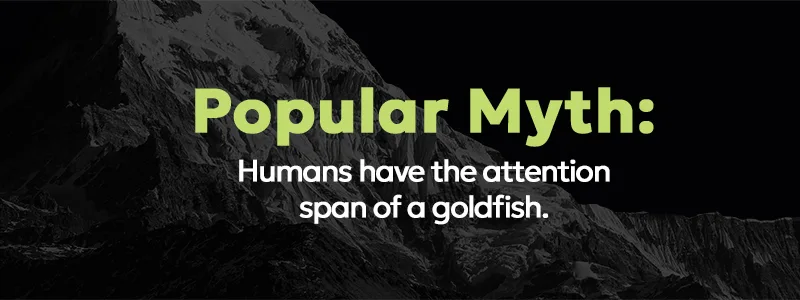
One often quoted statistic says that human attention spans are down to 8 seconds, like those of a goldfish. There’s only one problem—true crime fans can listen to hours of podcasts and families often binge an entire mini-series in one sitting.

If the long-form content is gripping and the information relevant, attention spans rise dramatically.

There are two pillars that explain how long-form content interacts with search engines, captures attention, and builds trust with your audience.

1. Search & AI Overviews: Why Google Prioritizes Depth

Google produces rapid-fire results for users with its recent AI Overviews feature—quick answers to questions when users do a search.

Yet, behind-the-scenes, 82.5% of AI Overview citations point to “deep pages” with URLs located two or more clicks from the home page.

In other words, Google has the best of both worlds in the classic conundrum of long-form versus short-form content. Why? Google invests in creating a global library of content and serving it up to users who need a speedy reply.

Gone are the days of Google relying only on keywords—the algorithm now measures the value of content by semantic depth. Semantic depth refers to a deep, long-form content page that covers the core topic at the center of a question, plus related subjects and subtopics.

My goal isn’t to write fluff that fills over 2,000 words—it’s to cover a subject with comprehensive content, so that the user doesn’t have to visit multiple pages or websites to find in-depth answers.

2. Using Friction to Build Trust in Long-Form Content Marketing

“Friction, when used thoughtfully, can enhance the customer experience and secure a company’s reputation as being human-first.”

— Renée Richardson Gosline, Research Scientist and Senior Lecturer at MIT

Introducing friction into your content is a powerful method to build trust.

How? Relational versus transactional speed. AI is a convenient tool and short videos on social media are brief snippets of entertainment—not long-term branding that determines a purchase decision. They offer a quick and easy transaction without building a relationship.

In the book “Valuable Friction” by marketing expert Robert Rose, he explains the concept of the “Pause Point.” In an era of infinite scrolling, the goal of long-form content is to make users pause—the moment where the reader stops skimming, starts thinking, and builds a trust relationship with your brand.

For example, a long-form piece of content could include a “stop and audit” box that invites the reader to open their last three emails and evaluate their communication style based on the tips from the article. When someone stops to download a free guide, it’s your cue to invest in them as a highly engaged customer and follow up with them.

Want help creating comprehensive content that balances in-depth learning and draws customers to your brand?

Marketer reviewing content cluster options to improve long-form content at her desk with Mac mouse and keyboard

How to Create High-Performing Long-Form Content

The goal of long-form content is to translate the topic you’re offering your audience into educational material—it allows you to persuade rather than sell.

There are several key steps to creating excellent long-form content that stands out from the crowd online.

Want help creating comprehensive content that balances in-depth learning and draws customers to your brand?

Step 1: Choosing Topics That Require Depth

Rather than answering a single question, the goal of your content should be to build out a series of answers AI can’t easily replace.

For example, answering the question “What is a 401k?” is a great subtopic for a piece of content, but not the main content. Why? Because an AI can provide an accurate definition in a paragraph.

A deep question is “What is Retirement Planning?” It’s an opportunity to connect many topics together.

It goes beyond AI information to human insight—your unique philosophy can shape how the pieces fit together, explaining the relationship between a 401k, a Roth IRA, tax limits, and employer matches.

Step 2: Visual Structuring for Skimmers and Deep Divers

Everyone active online has read a piece of long-form content that felt like a “wall of text” at one time or another. It can be intimidating to create long-form content while keeping it fresh and avoiding information overload.

The key point is that readers don’t mind length, they care about density.

When you narrow it down, there are essentially two types of readers online at different points in the searching process: the skimmer versus the diver.

For example, two mothers might Google “baby rash” looking for completely different types of answers:

  • The Skimmer: A mom holding a crying baby with a rash at 2AM. She needs a bulleted list of symptoms and wants to know if she should call the pediatrician.
  • The Deep Diver: An expectant mom prepping for the birth of her baby might search the same question, but wants to go into detail to learn about different types of rashes to prep for motherhood.

Your article should help them both through an easy-to-understand structure. The skimmer needs clear H2 headings, bullet points, block quotes, and bold summaries, reducing bad friction so that they can find an answer instantly.

The skimmer is also an opportunity to let your visual content creation shine. Don’t just use stock photos as a decoration—tap into creativity.

A visual metaphor like a compass for strategy or a data visualization, can explain complex concepts in an instant. It provides the skimmer with a quick answer and offers the deep diver a framework to study and retain.

The deep diver needs a clear structure to review the article and take notes. But I also don’t want them to speed through the piece.

“Pause points” like a contrarian take, a personal story, or a box that asks the reader to answer a question and reflect on the content, can slow them down and engage them with your expertise.

The goal is to be fast enough to capture attention, but slow enough to keep it.

Reflection: Open your last blog and scroll through it as fast as you can. If you only read your headers and the images at a glance, could you still understand he main point of the article?

Step 3: The Topics Cluster Strategy

The topic cluster approach to online content uses a “hub and spoke” model. The long-form piece serves as the central hub that covers a broad topic comprehensively, while smaller specific pieces of content act as the spokes.

For example, a piece of long-form content focused like “The First-Time Home Buyer’s Handbook” would have spokes like “What is a debt-income-ratio?” and “Closing costs explained for buyers.”

There are several main tips to consider when building a hub and spoke content strategy:

  • Group keywords by category: Use keyword clustering to organize related terms. Research keywords for your topic and then build sections or sub-articles to complement your primary content.
  • Link short answers to deep content: Short content like social posts or quick-answer blog posts should target the specific, long-tail questions with a brief, introductory answer. Then, you can link back to the long-form for the deep dive users.
  • Avoid cannibalization: It’s key to make sure that multiple pages don’t compete for top ranking for the same keyword. Instead, create unique pages for each subtopic and link back to the main guide.

Key Takeaways

  • Redefine positive “friction” as a trust-building tool. In a speed-obsessed world, friction stops the scroll and moves users from transactions to relationships.
  • Don’t buy into the “goldfish” myth. Readers don’t reject length; they reject information overload.
  • Create comprehensive, long-form content to target “semantic depth” for AI visibility. 
  • Design long-form content for skimmers and divers with visual hooks for quick answers and deep insights for engaged readers. 
  • Compete on your unique insight, not simply staying facts. AI has a library of facts—you have your unique voice, philosophy, and experience. 
  • Build SEO with hub and spoke topic clusters. Link central long-form guides to shorter articles to build expertise with search engines.

Need help developing a long-form content strategy to win customers? Our content marketing specialists can help you design outstanding content.

Dedicated business founders sharing insights, highly critical consumers searching for great products, and users sharing absurdly hilarious real estate listings from Zillow—what do they all have in common?

The future of search: community.

Reddit is a social news aggregation, web content rating, and discussion website built around more than 100,000 communities (AKA subreddits). Businesses no longer need only focus groups and surveys to find out what people are thinking—they just need a free account.

These social tribes are all about transparency: honest answers to real-world questions, unsponsored product reviews, Q&A’s, and complaints. And search engine optimization giants like Google have taken notice.

That’s why Reddit is the number one destination online to build authenticity, trust, and awareness with the real audience behind your brand.

In this blog, we’ll explore why Reddit is a critical tool for building your online presence in the age of AI, breakdown who should use Reddit for marketing, review organic and paid advertising methods, and cover do’s and don’ts for winning on the platform.

Why Using Reddit for Marketing is Suddenly Crucial

image Using Reddit for Marketing: How to Hook Your Audience (+5 Do’s and Don’ts)

In a Reddit study, results show that 74% of people agree that Reddit helps them make faster purchase decisions.

Have we got your attention?

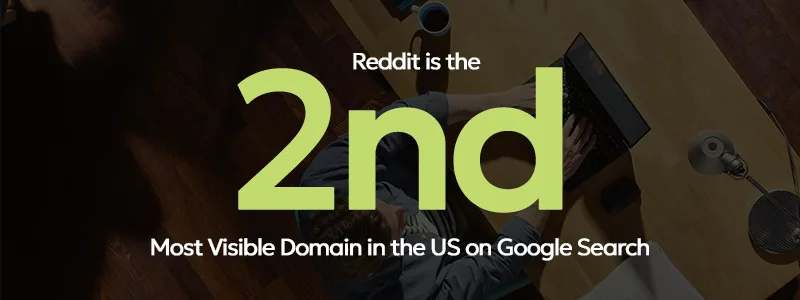
Although Reddit has been around for over 20 years, the platform became the 2nd most visited domain on Google search in 2025. Why?

Let’s explore a little backstory and explain how it can transform the way you market.

The Trust Factor: Why Search Engines Prefer Reddit

In August 2023, businesspeople, marketers, and anyone with an online presence had a historic moment—the Google “hidden gems” update shifted focus to authentic, user-generated content.

Gone were the days of editorial and review sites dominating the world web—the world’s conversation space suddenly became the most valuable real estate on the internet.

The result? From July 2023 to August 2024, Reddit’s visibility skyrocketed with a 1,348% increase in visibility on Google…

The “Google Zero” Effect: Reddit and AI Search

image 1 Using Reddit for Marketing: How to Hook Your Audience (+5 Do’s and Don’ts)

In May 2024, another Google update caused a seismic shift in the internet community—the Search Generative Experience (popularly known as AI overviews). And it created a new phenomenon dubbed the “Google Zero Effect.”

Google was no longer just a search engine—it was an answer engine. A user could ask a question and get an instant answer at the top of the search engine results page (SERP) without ever needing to click a single link.

That’s where Reddit enters the scene once again. In February 2024, Google announced a partnership with Reddit to train its AI models with a goldmine of genuine, human conversations from the platform and made it one of the most important spaces on the internet. AI has truly transformed the landscape of modern marketing and it’s one of the most powerful tools available when used responsibly.

How Reddit Marketing Can Reshape Your Brand Awareness Strategy

Google updates, SEO, and AI training—how does it impact your marketing today?

There are several key advantages to becoming a Redditor:

  • Become a part of the world’s largest online community and keep up with competitors
  • Raise your brand’s ranking on Google search results and appear in AI answers
  • Engage and build community with your target audience in niche, subreddit communities
  • Speak with customers directly to answer questions about your product or service
  • Gather feedback in real-time and build a library of user-generated content from positive comments

Want help navigating the ever-changing world of Reddit advertising?

Which Industries Fit the Reddit Marketing Audience?

Reddit is like a hangout with friends and colleagues—it encourages social engagement and discourages self-promotion.

To gauge what’s appropriate, imagine what you would and wouldn’t feel comfortable inserting into a natural conversation. The unique culture of Reddit strongly impacts which businesses succeed.

Industries that thrive are those that naturally engage a tribe of followers with depth, passion, or technical detail. Thousands of subreddits exist for everything from hobbyists (3D printing, art, hiking) to professional communities (financial services, trade skills).

At the same time, Redditors frown on transactional businesses that don’t build community. Generic products like toothpaste or toilet paper may receive some product reviews, but they likely won’t build a dedicated audience. Hyperspecific local businesses without a unique hook like a dentist’s office or accounting firm also might struggle on the platform.

Organic Reddit Marketing: Transparency is King

Contribute before you promote—it’s the golden rule of Reddit. Users upvote what they like (“karma”) and downvote what they don’t. A subreddit is the opposite of a billboard because it’s an authentic space.

Let’s take Mint Mobile as an example. When you hear about the brand, you might think of Ryan Reynold’s brilliant commercial campaign, but the company has also experienced huge success on Reddit.

image 2 Using Reddit for Marketing: How to Hook Your Audience (+5 Do’s and Don’ts)

It’s actually a “semi-official” subreddit. Mint Mobile doesn’t control or moderate the content because it was founded by volunteers. Rather than attempting to take it away by starting their own channel, employees joined the forum and started posting.

They even provide a dedicated customer support professional for questions, concerns, and complaints. The outcome? 59,000 weekly visitors to the Mint Mobile community. Mint Mobile’s team truly understands Reddit for marketing and they’re gaining traction through organic channels.

So, how can you begin to leverage Reddit for brands? There are several key strategies you can use to get started:

  • Share content: If you share great content, they will come. Creating great blogs, articles, videos, and infographics within the right niche can get people chatting.
  • Build a subreddit: You can build a subreddit dedicated to your brand where people discuss your product or service. It’s also a place to host giveaways, perform market research, search out beta testers, and so much more (your creativity is the limit).
  • Host an AMA: An AMA (ask me anything) is a planned event with a scheduled time where a brand or influencer chats with users to connect with them directly.
  • Provide customer service: Redditors often come to the platform to find a forum of answers on customer service and technical support questions. It’s an opportunity to capture user attention with a dedicated space for troubleshooting and turn a complaint into a success story.

Reddit Advertising: Targeting High-Intent Communities

Want to take it to the next level beyond organic marketing and reach customers not engaged on your subreddit? Reddit advertising is another popular option.

Reddit paid ad formats include:

  • Text (promoted posts)
  • Image
  • Video
  • Product
  • Carousel
  • AMA (ads in feed)
  • Conversation (ads in comment threads)

Reddit targeting offers a wide range of common ad demographic tools, but one feature stands apart from the crowd. Businesses can place their ads on specific subreddits, reaching highly niche audiences where they go to read about their interests. It’s the opposite of interrupting someone with an irrelevant ad.

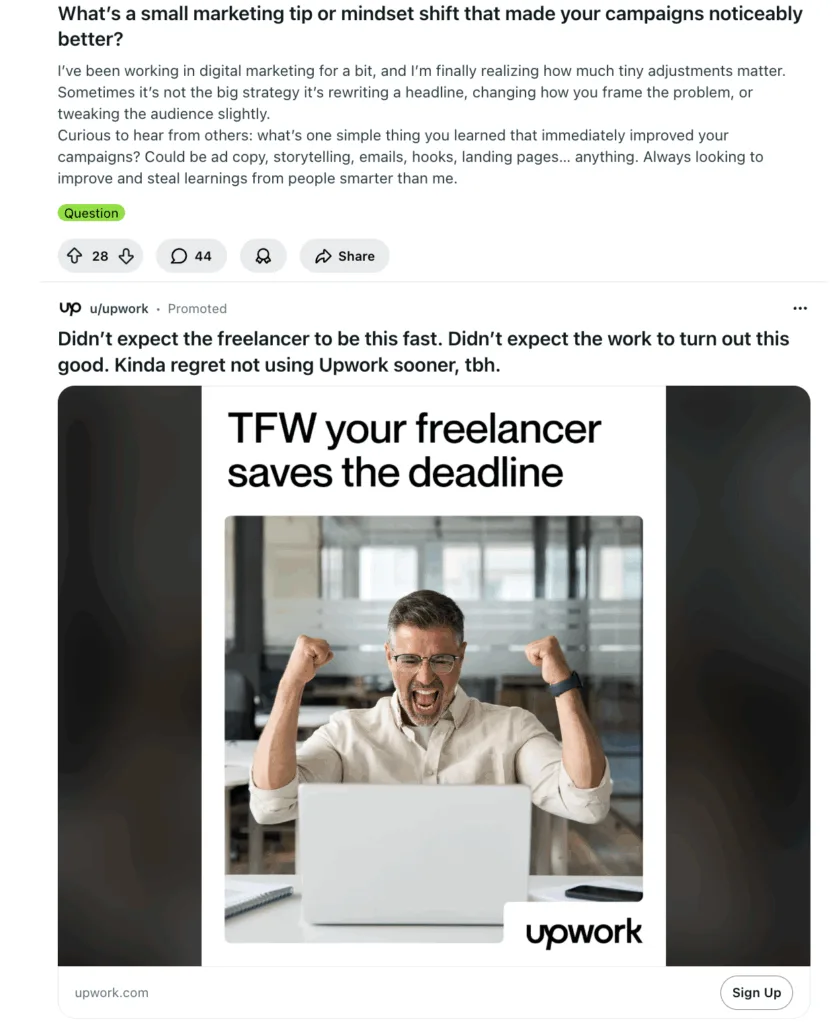
Want to promote digital marketing services? Simply create an ad and set it to target the r/marketing subreddit and you have the potential to reach 127,000 new customers who are actively thinking about marketing. For example, Upwork targets people interested in hiring freelance marketers with a promoted image ad on the forum.

image 3 Using Reddit for Marketing: How to Hook Your Audience (+5 Do’s and Don’ts)

The 5 Do’s and Don’ts for Using Reddit for Marketing

When you’re new to Reddit, it can seem like a big task to dive deep into the waters and join the community. Thankfully, there are tried-and-tested do’s and don’ts to get off to a positive start with your audience.

Do’s

  • Do observe and learn: Every subreddit is an ongoing conversation with a unique culture, inside jokes, and socially acceptable behavior. Quietly observe and watch before you start posting.
  • Do contribute value: The key to Reddit is popularity—you want to add something to the conversation that informs, inspires, or entertains. Show what makes you unique and share your passion and expertise.
  • Do be transparent: Always be honest about your background on Reddit, especially if you’re a brand ambassador or employee. Redditors expect to speak with real, unbiased people.
  • Do encourage communication: Reddit is famous for praise and criticism. It’s vital to communicate with customers honestly, listen to their feedback, and accept positive and negative outcomes with grace.
  • Create Reddit native content: Instead of simply linking to an external website, create posts designed to help Redditors. Speak to the community with detailed text posts, infographics, or original image albums designed to live on Reddit and encourage ongoing conversation.

Don’ts

  • Don’t ignore subreddit rules: Every community has volunteer or paid moderators with a set of guidelines. They usually specify the type of content and rules on what you can post (including promotional material). Missing an important rule can get you banned easily.
  • Don’t debate downvotes: One of the fastest ways to hurt your brand image is to begin debating on Reddit. Actions speak louder than words—if someone says something unfair or untrue, receive the feedback and work to correct it over time.
  • Don’t use generic accounts: Avoid using accounts that sound like a corporate identity. Ask members of your team to join the conversation with authentic identities.
  • Don’t neglect the comments section: Once you launch a subreddit, it needs regular upkeep. Not replying to comments will lower your activity and lead to negative comments left unresolved.
  • Don’t reuse content: It’s also vital not to repost the same content across multiple subreddits. Eagle-eyed Redditors will pick up on it fast and realize the engagement is not genuine. You need well-written content that’s true to yourself and gently leverages copywriting psychology to persuade readers to explore your brand further.

Need help developing a strategy to maximize your Reddit marketing? Our content marketing specialists can guide you to identify your audience on Reddit and build a tribe that boosts awareness for your brand with organic and paid tactics.

We understand the aversion some businesses feel when they hear the phrase “social media marketing.” You may know that Facebook has a timeline, Pinterest has boards, and LinkedIn has connections, but apart from that, it all feels confusing.

In an effort to demystify all these channels, this blog is going to break down three popular social media platforms for paid marketing (Facebook, LinkedIn, & Pinterest) and analyze their strengths/drawbacks in ad targeting, reporting, and overall efficacy. The goal? We’ll help you learn more about three of the best social media platforms for marketing and how they can help your business.

Why Use Social Media Ads for Business?

Social media advertising allows a business to reach new audiences that would otherwise be unreachable due to the algorithms behind organic social media posting. Creating unpaid (also called “organic”) posts is great for interacting with your followers, but there’s little chance it will bring in new customers or lead to sales unlike the earlier days of social media.

Some other benefits of social media advertising include:

  • Increased brand awareness at a very cheap cost.
  • Better data on the demographics and interests of your target audience.
  • More traffic is driven to your site (which can potentially increase leads and revenue.)
  • Build relationships and give people a chance to engage with (not just see) your ad.

Figuring out how to use social media marketing to grow your business is challenging, but it can have a rewarding payoff. Below we’ll explore what you can do to get started and the unique ad offerings of Facebook, LinkedIn, and Pinterest.

How to Start with Social Media

Before jumping in, you first need to learn about the capabilities of each platform and then pick which one best aligns with your marketing goals. Your business type and industry will determine your B2B or B2C marketing strategies on social media.

Some helpful questions to ask yourself are:

  1. Who is my target audience?
  2. Which social platforms are they using?
  3. What kind of social content do they best respond to?

When starting to develop a social media advertising strategy, it’s important to make a plan based on research. But it’s also important to give yourself room for testing, so you can gather data and learn more about who your audience is or isn’t (especially if you can’t answer the questions above). As a part of that planning process, let’s take a closer look at the specifics of these three top platforms.

How to Use Facebook for Social Media Marketing

As the most popular social media platform in the world, Facebook is still one of the best social media platforms for marketing. The benefits of Facebook marketing include:

  • Very low-cost advertising options
  • Variety of ad formats to use (video, slideshow, image, etc.)
  • Great reach with local and global audiences

Let’s take a look below at some of the specific features you can use within their advertising tool.

Facebook Audience Demographics Options

Understanding demographic targeting is crucial to creating a social strategy. It helps you see who your social ads are resonating with and plan out future ad campaigns that are targeted towards the right people. 

Through Facebook you can choose:

  • Location (specific zip codes, counties, states, or countries)
  • Age (18-65)
  • Gender
  • Languages
  • Relationship status (single, married, divorced, etc.)
  • Education level (high school grad, some college, college grad, masters, etc.)
  • Income bracket (top 25%-50%, top 10%, etc.)
  • Life Events (just moved, engaged, new job, etc.)
  • Household role (parent, etc.)
  • Political affiliation (likely to engage in conservative politics, etc.)

The extensive range of specific targeting Facebook offers makes it a prime hub for testing. It also makes it one of the best social media platforms for marketing. 

Facebook Interest Targeting

Facebook allows you to further define your audience by allowing you to target users based on their interests, activities, and the pages they “like” related to:

  • Entertainment & art
  • Brands & publications 
  • Hobbies & activities
  • Fitness & wellness
  • Business 
  • Family & relationships 
  • Food & drink
  • Shopping & fashion
  • Sports & outdoors
  • Technology

Facebook Behavior Options for Targeting

This option factors into account data collected from users on their device usage, shopping behaviors, or their past intent while interacting on the platform. It allows you to target people with behaviors that fit the following buckets:

  • Digital tools used (operating systems, browsers, plugins, etc.)
  • Mobile device or browser details (iOS, Android, tablet, etc.)
  • Purchasing behavior (for cars, fashion, tech, etc.)
  • Media consumption (radio or TV)
  • Residential status (homeowner, renter, likely to move, etc.)
  • Seasonal events and interests
  • Travel profile (business travel, frequent traveler, commuter, on vacation, etc.)

When creating your first Facebook ad audience, it’s highly unlikely that you’ll use all of these targeting options at the same time. It’s best to start simple and tighten your targeting over time based on the data you collect showing who is interacting with your ads.

Facebook’s Reporting Capabilities

Depending on your marketing goals, you can customize Facebook’s ad report columns. However, by default, your Ads Manager table will most likely include:

  • Results. This shows the number of times people took action on your ad based on the objective you set it to have: link clicks, page likes, phone calls, leads, etc. 
  • Cost Per Result. This breaks down how much you spent on each of those results. (Total budget divided by the total amount of results.)
  • Reach. The number of unique users who saw your ad.
  • Impressions. The total number of times your ad was displayed on a screen (counting any time the same user refreshed your ad as well.)
  • Amount. The actual spend of your campaign’s budget within the allotted run time.
  • Bid Strategy. How you’re telling Facebook to bid in its auction to show your ad – you can use bid caps or target costs to ensure you don’t eat up your total budget too quickly.
  • Attribution Settings. The finite amount of time when conversions are credited to the ad and used to optimize who it shows to in upcoming run time.
  • Frequency. How many times a person in your audience is seeing the ad.

*Some of the terms above will be used again below. To avoid redundancy, please reference this list for an explanation of those terms.

Once a campaign finishes, Facebook allows you to download this data into a spreadsheet. You can even customize which metrics you want to include so you’re only looking at the ones that matter to your business. 

Looking at this data will help you understand how your audience is responding and adjust your ad targeting or ad creative as needed.

three people hold iPhones in their hands

How to Use LinkedIn for Social Media Marketing

If your business is geared towards professionals or companies, LinkedIn could be a great place to focus your businesses’ marketing efforts. You’ll find it has a lot of robust targeting options to help you reach your ideal audience online.

LinkedIn Audience Targeting Options

With LinkedIn Campaign Manager, you can build a precise audience with the following options:

  • Demographics (age, gender, location)
  • Education (fields of study, member schools, degrees)
  • Job experience (job function, job seniority, job title, years of experience)
  • Company (company connections, industry, size, or a business’ name, followers, and growth rate)
  • Interests and traits (member groups, member interests, member traits)

LinkedIn Forecasted Results

While building your LinkedIn audience, the platform provides an estimated results tool that shows if your targeting is too broad or narrow. This is especially helpful if you’re new to running LinkedIn ads and have no previous data to go off of.

Ongoing Optimization

One of the benefits of using LinkedIn for social media marketing is that it shows you which demographics are underperforming while your ad is running. Then you can exclude them during your ad campaign so you see a better performance and spend with your budget. Plus, you have a cleaner audience for future ads.

LinkedIn’s Reporting Capabilities

Similar to Facebook, LinkedIn offers a wide range of data to pull from at the end of a paid campaign. By default, you can access the following metrics:

  • Impressions
  • Number of clicks 
  • Click-through-rate percentage (CTR)
  • Average cost per click or result
  • Number of conversions
  • Cost per conversion
  • Number of leads
  • Cost per lead
  • Event registrations

Depending on the goal of your campaign (e.g. brand awareness, conversions, lead generation, etc.) you can customize your view to show the metrics that best indicate success. This data will help you figure out how you can best move forward with future ads. 

Want to learn more about LinkedIn advertising? View our guide on LinkedIn Ads which goes more in-depth about ad formats, audiences & more.

How to Use Pinterest for Social Media Marketing

Pinterest allows users to “pin” posts that interest them. This allows an ad’s pin to serve as its own remarketing campaign because users can see a businesses’ pin after the campaign’s initial run.

Businesses that benefit the most from Pinterest ads typically have a visually appealing product or service.  For example, the following industries can find a lot of success with Pinterest ads:

  • Outdoor builders & home remodelers
  • Home & lifestyle businesses
  • Retail and fashion companies
  • Art and design services

Since Pinterest is primarily used for finding and saving ideas, a kitchen design company is likely to gain more traction on Pinterest than an accounting agency.

Pinterest Targeting Options

Pinterest has a relatively simple targeting interface compared to other social platforms. Your targeting options for ads include:

  • Keywords & Interests (this is where an SEO specialist can help)
  • Demographics (gender, age, location, device type)
  • Placement (main feed browser or search)

Pinterest’s Keyword Targeting

One of Pinterest’s standout features is the ability to add and exclude keywords during your ad setup.  Part of this is that its users view Pinterest as a search engine. People log in to search topics like “bathroom remodel with vanity” or “large playset for backyard”.

Compared to LinkedIn and Facebook, Pinterest has a less detailed approach to who you’re targeting. But if you have an active audience there, it can end up being an extremely effective advertising tool.

Pinterest’s Reporting Capabilities

By default, Pinterest offers the following metrics to monitor the performance of an ad:

  • Spend
  • Impressions
  • Pin clicks (who clicked into the pin to view it)
  • Outbound clicks (who clicked the URL in your pin)
  • Cost per result
  • Click-through-rate (CTR)

While simple, all this data is good quality information that helps you understand how many people are visiting your website or landing page from Pinterest.

Is There a Winner?

So, which of the three covered is actually the best social media platform for marketing? Well, it really depends. Facebook, LinkedIn, and Pinterest all allow you to build and target a relevant audience. They just offer very different types of targeting. Instead of picking which one you think is a winner, you should test which platform is your home run.

Need guidance to get the best value out of your social ads? Our team is here to help you navigate.