
 By Trevor
 Microsoft Ads vs Google Ads: Which Paid Search Advertising Platform is Best For Your Business
- PPC: Paid Advertising
Join Our Newsletter List
Creating pay-per-click (PPC) ads is one of the most effective ways to grow your business in today’s digital landscape. But before you launch campaigns, the first step is choosing the right platform. Most advertisers start by comparing Microsoft Ads vs Google Ads to decide where their audience is most active and where their budget will have the greatest impact.
In the United States, the two major PPC platforms are Google Ads and Microsoft Ads (formerly Bing Ads). Picking the wrong one can lead to wasted spend, low-quality traffic, or underperforming campaigns. This guide breaks down the key differences and similarities to help you make the right choice—or determine whether running both is best.
Microsoft Ads vs Google Ads: 10 Key Differences and Similarities
While the two platforms look similar on the surface, they operate differently in ways that can affect performance, targeting, cost, and strategy.
Platform Reach
When choosing a PPC platform, reach is one of the first things to consider.
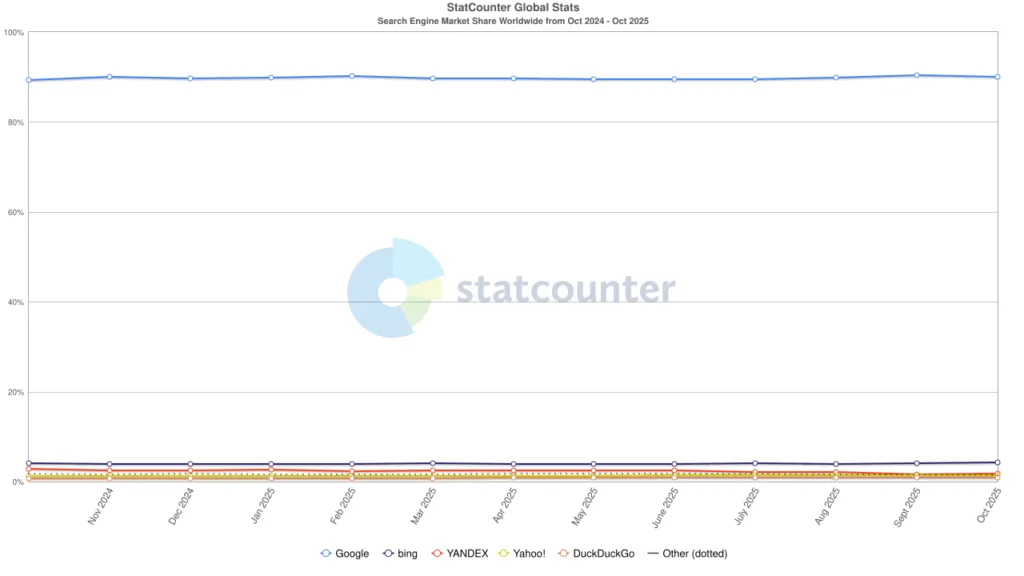
Google holds roughly 90% of the U.S. search market, making it the dominant search engine. Microsoft Ads captures around 7%, which still represents over 44 million searches—an audience you may miss if you rely on Google alone.
The demographics differ too:
Bing/Microsoft Ads Users:
- Older
- More likely married
- Higher incomes
- More education
Google Ads Users:
- Younger
- Tech-comfortable
- More likely in white-collar roles
- Grew up using Google as a default
Google’s reach expands further through the Google Search Network (Maps, Shopping, Google Play) and the Google Display Network (over 2 million sites).
Microsoft Ads appear on Bing, Yahoo, AOL, DuckDuckGo, MSN, Outlook, and inside Microsoft Edge, giving it a unique ecosystem as well.
Costs
After identifying where your audience searches, the next factor is cost.
Google Ads typically has 242% higher CPCs than Microsoft Ads due to stronger competition and more advertisers. Interestingly, retail advertisers sometimes pay more on Microsoft Ads than Google Ads, depending on niche competitiveness.

Audience Targeting
Both platforms offer excellent audience targeting options for all advertisers. However, when deciding between Microsoft Ads vs Google Ads for your business, it’s important to remember your audience targeting strategy. If you create a well-crafted ad but don’t show it to the right people at the right time, it will lead to wasted ad spend.
With Google Ads, you have two options for reaching your ideal audience. These are content and audience targeting.
With content targeting you can on the display networks where you want your ads to show or not show. This includes targeting topics, placements, or content keywords.
With Google Ads audience targeting you can target segments or groups of people with specific interests, intents, and demographic information.
Google Ads audience targeting is broken down into the following segment types:
- Affinity Segments
- Custom Segments
- Detailed Demographics
- Life Events
- In-Market
- Your Data Segments
Microsoft Ads offer a very similar targeting for your audiences with one distinct difference, LinkedIn Targeting.
With Microsoft Ads you can target and reach customers via:
- Custom Audiences
- Customer Match
- Device Targeting
- Dynamic Remarketing
- In-Market Audiences
- LinkedIn Targeting
- Location Targeting
- Remarketing
- Similar Audiences
Strategizing within audience segments can make or break your PPC advertising no matter which platform you use. Ultimately we think Google Ads audiences beat out Microsoft Ads due to the vast information available collected with Google’s sophisticated audience gathering.
Both platforms offer strong targeting, but Google’s depth is unmatched due to its massive data ecosystem.
Google Ads Targeting Includes:
- Affinity segments
- In-market segments
- Detailed demographics
- Custom segments
- Life events
- First-party data segments
Microsoft Ads Targeting Includes:
- In-market audiences
- Remarketing
- Customer match
- Similar audiences
- Device and location targeting
- Custom audiences
- Exclusive LinkedIn profile targeting (job title, industry, company)
Google generally wins in audience quality because of its broader data collection, while Microsoft wins for B2B targeting thanks to LinkedIn.
Ad Formats
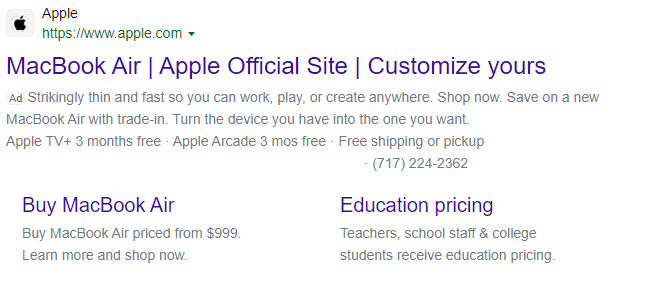
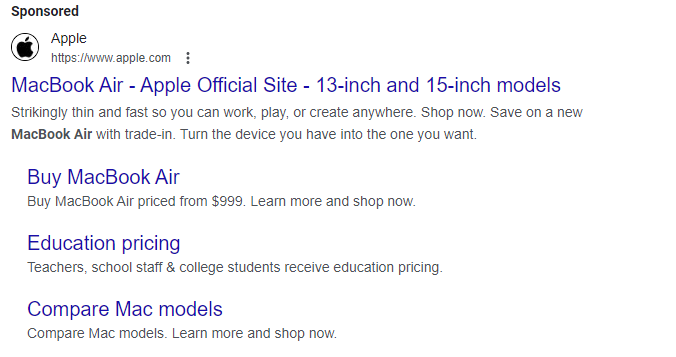
Deciding between Microsoft Ads vs Google Ads often depends on what you want to accomplish with the ads themselves. Both platforms offer a variety of different ad types to help you reach your customers where they are.
Both platforms offer:
- Responsive Search Ads
- Display & Native Ads
- Shopping Ads
- App Install Ads
- Video Ads
- Call-Only Ads
Most notably is the responsive search ads in both platforms. These are most likely the first ads you will create.
These operate in almost an identical fashion. In Google Ads or Microsoft Ads, you need to provide up to 15 headlines and four descriptions which the ad systems will mix and match the ideal combination of headlines and descriptions to match the user being targeted.
Both platforms are constantly updating ad format types to entice users to use their platforms.
Microsoft Ads has been expanding its platform with exclusive partnerships including Netflix Ads which makes them more competitive with Google Ads.
Google Ads has been adding new campaign types to combine the various ad formats including Demand Gen and Performance Max.
Both platforms offer nearly identical ad formats, including:
- Responsive Search Ads
- Display and Native Ads
- Shopping Ads
- Video Ads
- App Install Ads
- Call-Only Ads
Responsive search ads function the same on both: up to 15 headlines and 4 descriptions mixed in real time to find the best performer.
Microsoft is expanding through partnerships like Netflix Ads with it’s premium streaming ads, while Google continues to innovate with Demand Gen and Performance Max.
Keyword Match Types
Keyword match types are the same across both platforms:
- Broad match
- Phrase match
- Exact match
- Negative keywords
Google previously used modifiers but consolidated them in 2021.
Click-Through Rates
CTR is often the first health indicator for PPC campaigns.
- Google Ads average CTR: ~6.66%
- Microsoft Ads average CTR: ~2.83%
Google’s CTR tends to be 134% higher across most industries due to user behavior and higher intent.
Key Event Rates
Key event rate (conversions) is even more important than CTR.
With the same landing pages and the same ads, Google typically produces an 81% higher key event rate, thanks to stronger machine learning and user signal quality.
UX Designs
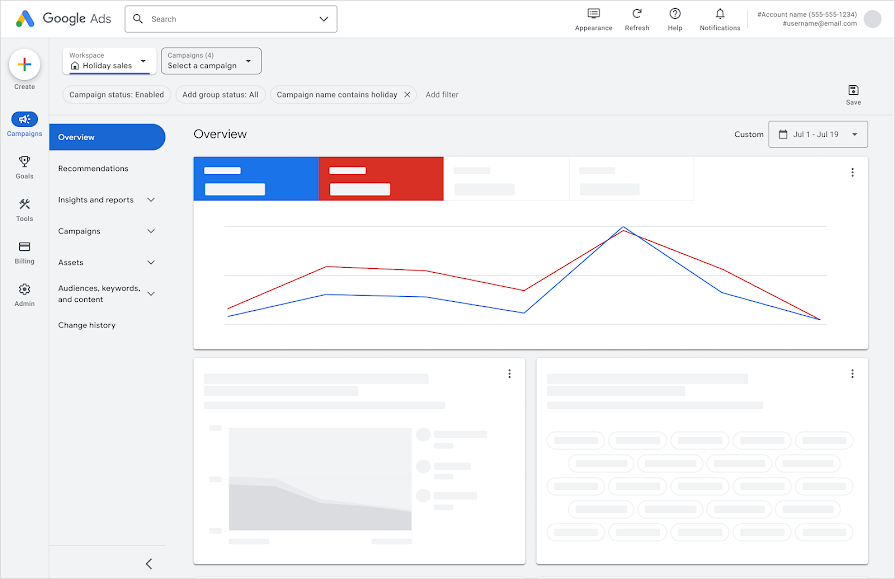
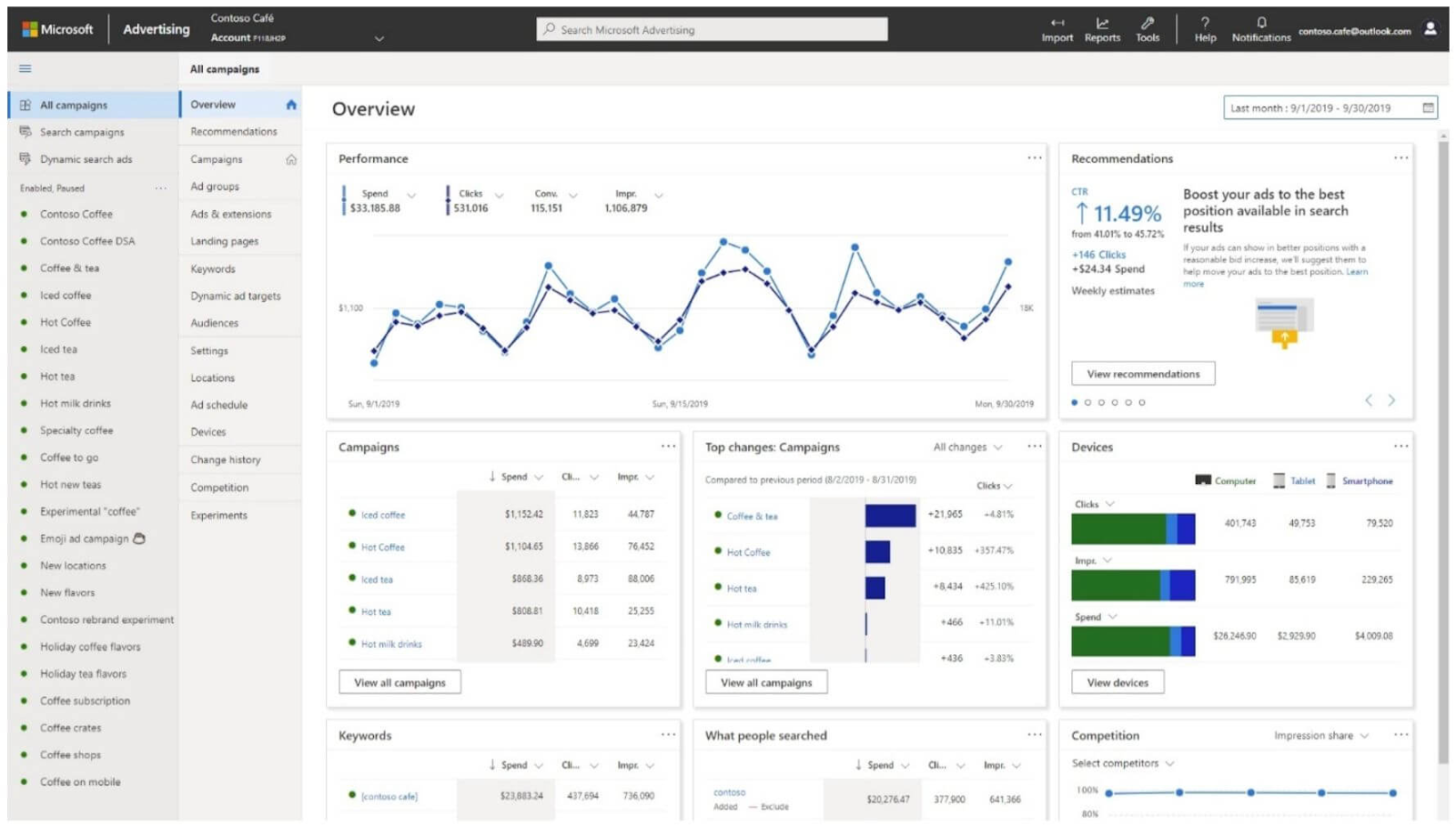
Microsoft Ads intentionally mirrors Google Ads so advertisers can switch or import campaigns without learning a new system. You can import a Google Ads account into Microsoft Ads and replicate the structure almost exactly.
Google’s interface generally feels more polished, but Microsoft’s familiarity makes onboarding simple.
Free Tools & Resources
Both platforms offer:
- Keyword planners
- Tracking tools
- Shared libraries
- Bulk actions
- Basic setup assistants
However, Google stands out due to its seamless connection to Google Analytics and other Google products.
Microsoft uses its own Universal Event Tracking (UET) tag, but you can easily install it through Google Tag Manager.
Customer Service
Support experiences differ widely:
Google Ads:
- No more instant live chat
- Email support, community forums
- Occasional outreach from Google reps via emails or phone calls
Microsoft Ads:
- Live chat support
- Request-a-call options
- Generally, it’s easier to reach a real person
For many advertisers, Microsoft support is more accessible.
Conclusion
Choosing between Microsoft Ads vs Google Ads is a major decision for any business starting PPC. Each platform offers unique strengths, from Google’s extensive reach and machine learning capabilities to Microsoft’s strong B2B options and lower costs.
The reality? Most businesses benefit from using both platforms. Running campaigns side-by-side lets you compare performance, expand your reach, and identify which platform gives you stronger returns over time.
If you build a thoughtful PPC strategy across both systems, you’ll see clearer insights, better optimization opportunities, and a more complete picture of your paid search performance.
If you’re struggling on either of the platforms, Tower Marketing’s PPC management experts are equipped to help. Reach out to a team member to schedule a free PPC management consultation.
 Lauren
 10 Google Performance Max Best Practices To Optimize Your Google Ads Campaigns
- PPC: Paid Advertising
 Alycia